28
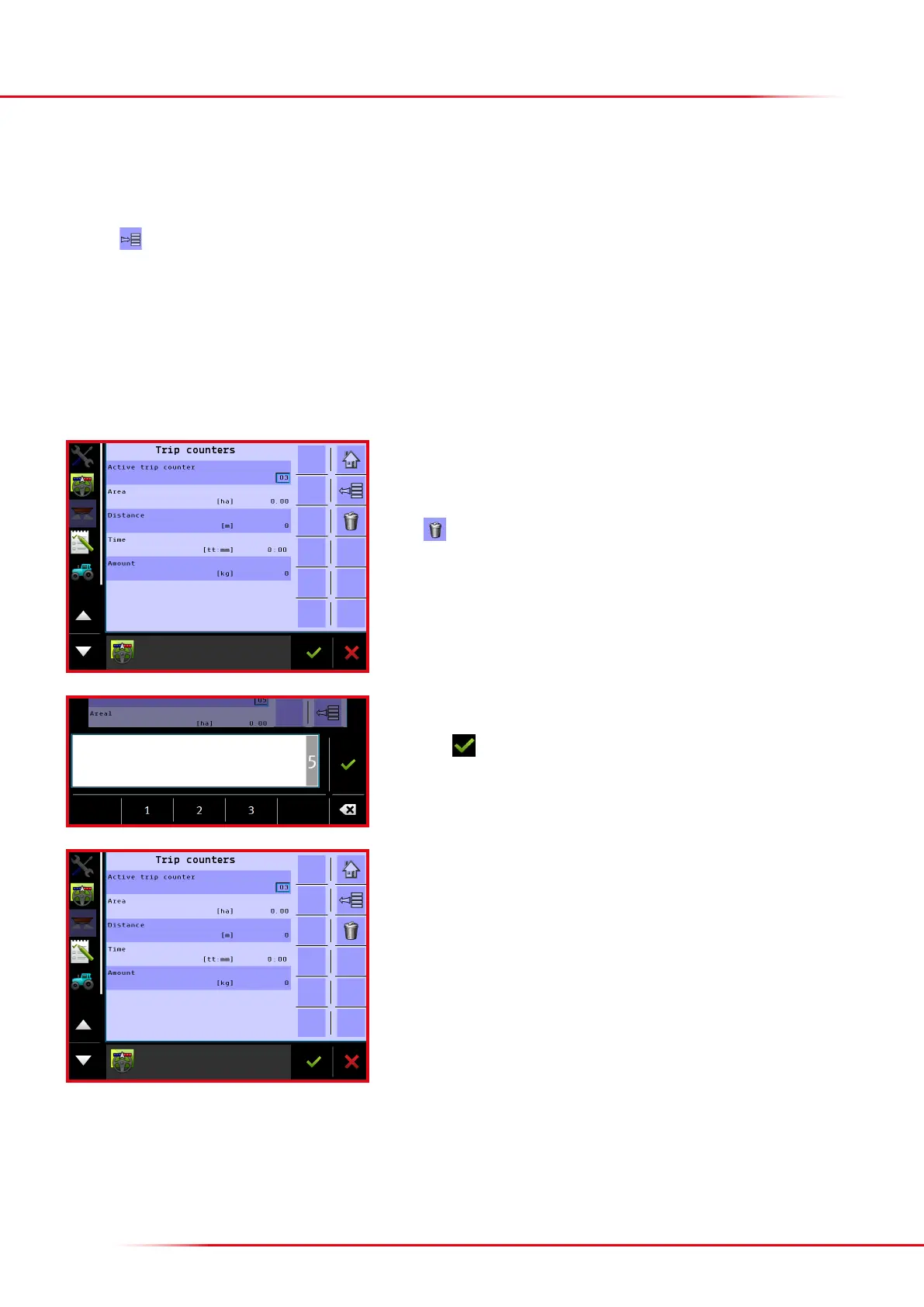
It is possible to choose from among 10 dierent trip counters on the trip counter menu.
Press “Active trip counter” to select a dierent counter.
Press
to delete the values counted by the active trip counter.
This Bredal program component has 10 trip counters and these can be used to count a task’s area, distance, volume and time. If the tractor’s terminal
has an active task controller, this will be used to count area, volume, etc. The 10 trip counters in the Bredal program component will be deactivated
and only the trip counter TC will appear on the menu under counters. The active counter will also appear at the top of the operation screen.
Press the
key from the Home screen display.
Press “Counters”
Select “Trip”
COUNTERS
If counter TC is shown, the task controller on the tractor’s terminal is active and it is not
possible to select other counters. The values counted from TC are shown in the counter,
and these values can only be saved or deleted via the TC program.
Enter which counter should be activated; it is possible to select counters 1 to 10.
Finish with



 To Next Page