40
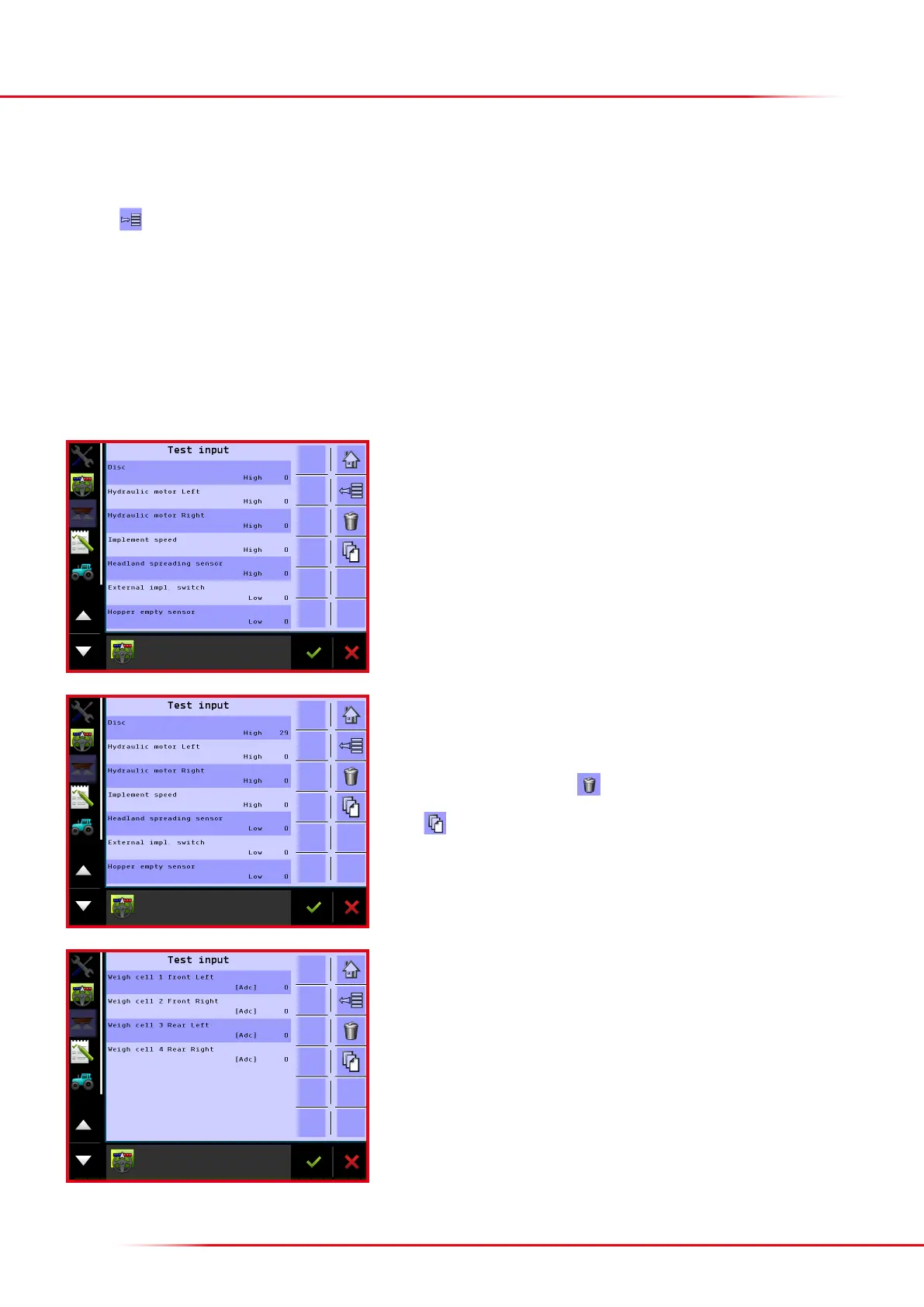
All the inputs from the spreader are listed on the test input menu. For instance, when an
inductive sensor is aected, its status changes between high and low, and all impulses
coming from the sensor are added up.
It is possible to test the spreader’s input and output on the testing menu.
> Testing input
Press the
key from the Home screen display.
Select “Help”
Select “Diagnostic”
Select “Test input”
Weigh cell input can be viewed on this page when they function properly. If one of the
load cells has failed to show a value, it has a problem. Perhaps the load cell is not
working properly, i.e. a cable is ruptured or improperly attached to the terminal box.
TESTING INPUT AND OUTPUT
In this case, 29 impulses have been counted from the inductive sensor on the le
spreading disc.
Aer exiting test input, all impulses counted will be deleted. It is also possible to delete
the counted impulses by pressing
Press to view input from the load cells.



 To Next Page