18
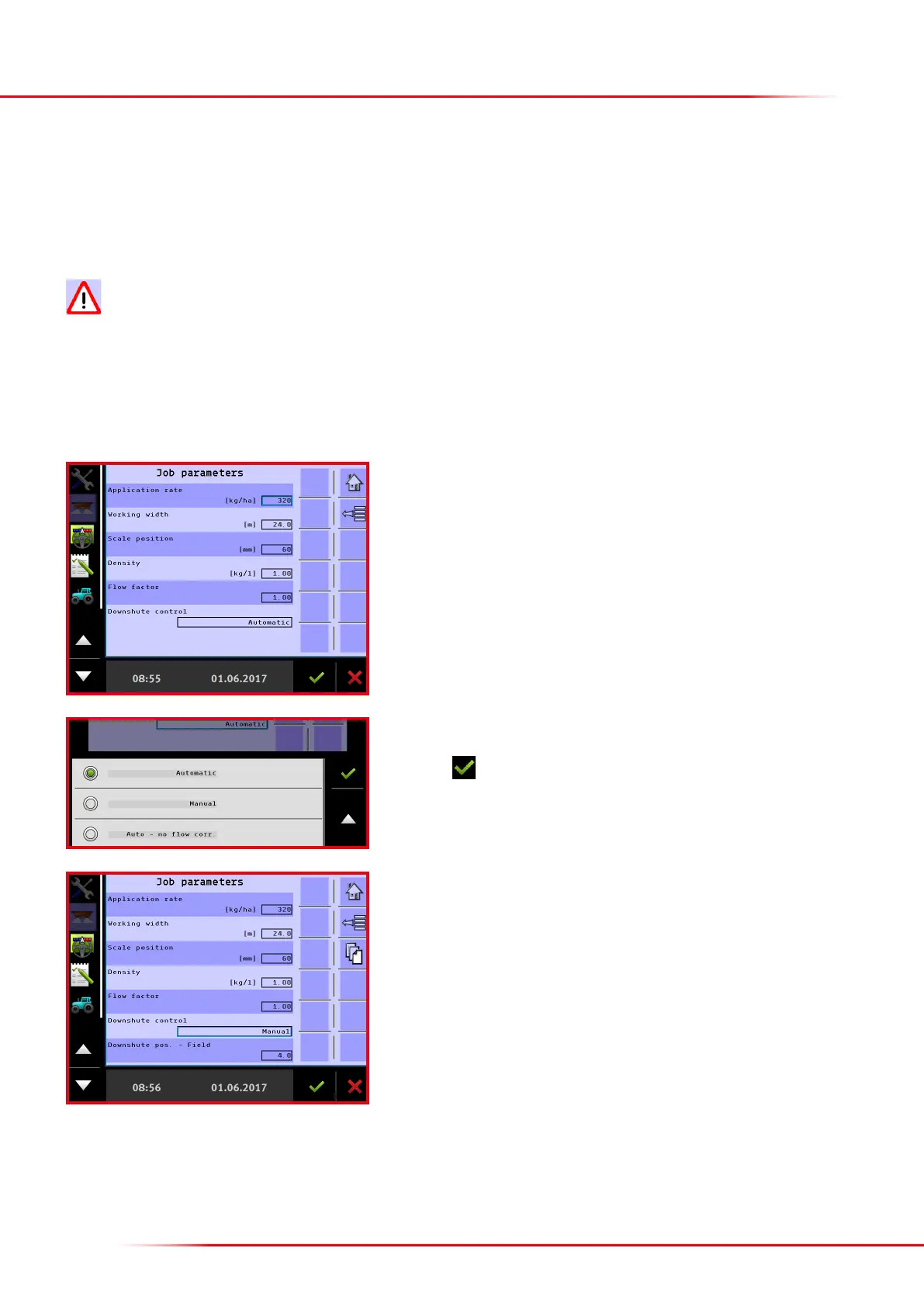
The following dierent setting options are found under downshute control:
• Automatic: the downshutes automatically adjust to the input working width.
• Manual: the preferred downshute position has to be entered.
• Automatic without ow control: the downshute position is not changed by dierent ows
When the working width is changed, downshute control always returns to automatic!
Optimised spreading settings for most fertilizer types can be downloaded from the Bredal website. It is advisable to use manual downshute control
and enter the downshute position that matches the type of fertilizer to be spread.
> Entering the downshute position
Press the input eld “Downshute control” to select.
Select the desired setting.
Finish with
When “Manual” is selected, the downshute position for eld and headland spreading
can be changed.
Press the eld “Downshute pos. eld” to change the setting.



 To Next Page