22
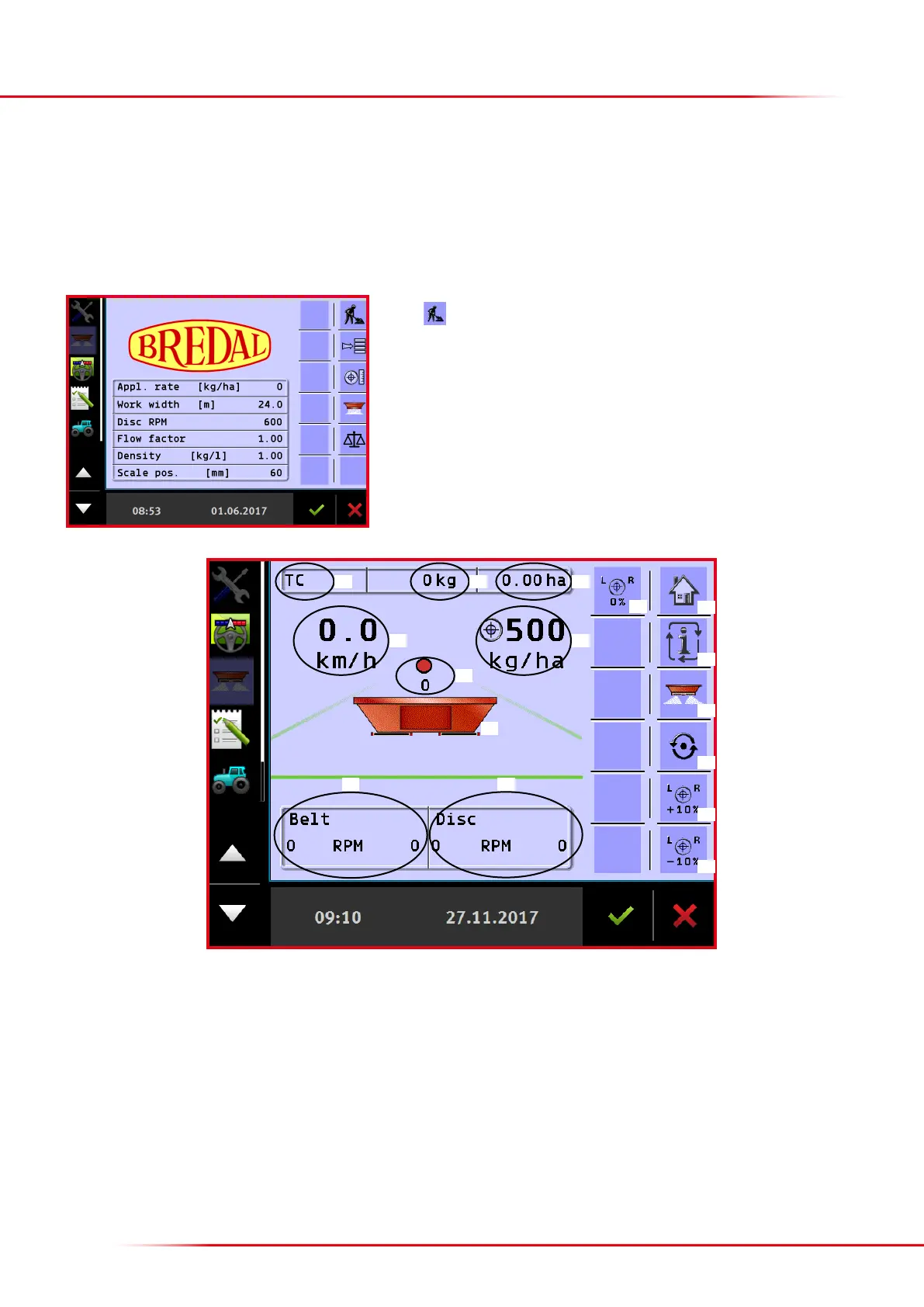
OPERATION SCREEN
Press to access the operation screen.
1. Task controller: when TC is displayed, the task controller program is active
2. Indicates the number of kg spread as counted by the active counter.
3. Shows the number of ha processed as counted by the active counter.
4. Shows km/h – kg/min – kg/ha and oor belt speed; it is possible to toggle the views by pressing key no. 11.
5. Shows the currently preferred application rate
6. Shows the actual weight in the hopper.
7. Shows the current oor belt speed for le and right sides.
8. Shows the current PTO rpm; the dot indicates whether the spreader is operating at the correct PTO rpm:
For eld spreading:
Operation screen 1
The operation screen is the screen display shown during spreading. It is also where application can be started and stopped and where dierent
messages are given to the driver.
10
11
12
13
14
15
1 2 3
4 5
6
87
9
16



 To Next Page