23
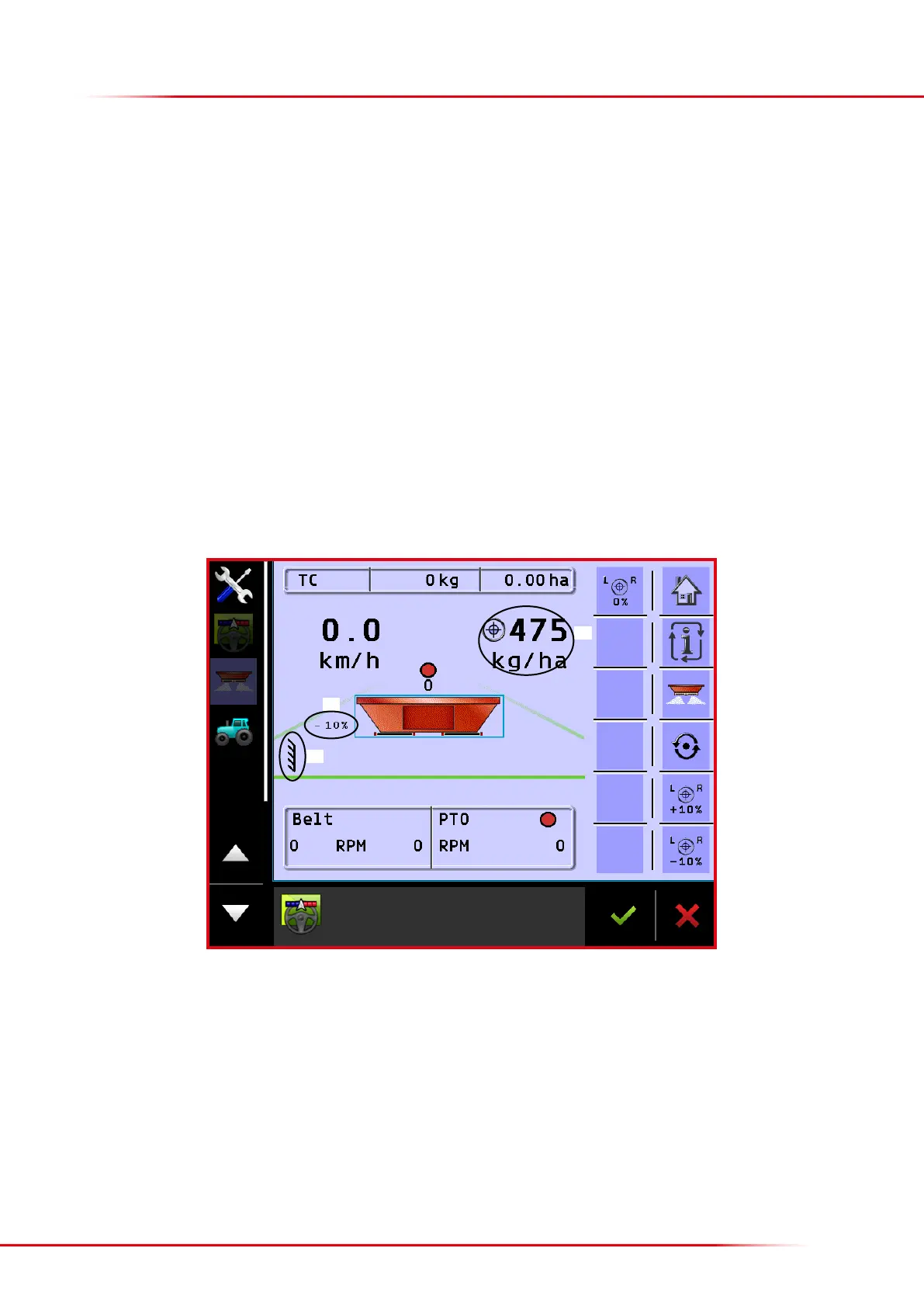
1. Symbol for headland spreading; the symbol appears when headland spreading is activated
2.
Automatic volume reduction: when headland spreading is connected, the volume spread towards a boundary is automatically reduced by
10 %. This reduction can be changed to 0 % if it is not wanted; it is also possible to enter an automatic reduction on both sides (see page 33).
3. Shows the current application rate in kg/ha (the total application rate will be lower when the application rate towards a boundary is reduced
by 10 %)
Green = operating at the correct PTO rpm
Yellow = PTO rpm is close to being correct
Red = operating at an incorrect PTO rpm
When headland spreading is activated:
Green = Environment: no or very little fertilizer is being spread beyond the eld boundary.
Yellow = Medium: 40-50 % being spread in the eld boundary; fertilizer is also being spread beyond the eld boundary.
Red = Maximum: full application rate all the way out to the eld boundary, and a good deal of fertilizer is being thrown beyond the eld
boundary.
NB: if, as recommended, settings have been downloaded from Bredal’s website, use the PTO rpm setting from here and not the above colour
markings.
9. Starts/stops driving-dependent application rate. Floor-belt oil must be circulating before application starts. Key no. 12 has the same function.
10. Home key
11. Toggles dierent views on the screen (see also point 4).
12. Starts/stops driving-dependent application rate. Floor-belt oil must be circulating before application starts. Key no. 9 has the same function.
13. Starts manual application until it is pressed again or until forward movement is detected and the application becomes driving dependent. Can
only be activated when sectioncontrol is o (manual).
14. Increases the spreading volume by 10 %
15. Reduces the spreading volume by 10 %
16. Return to the input application volume.
Operation screen 2
1
2
3



 To Next Page