46
Settings for various fertilizer types can be downloaded from Bredal’s website. The settings are determined by testing the various fertilizers in practice.
Update the settings on an ongoing basis to make sure they are up to date. It is advisable to use these settings. It is also advisable to carry out a
fertilizer spreading test in the eld to make sure that a satisfactory spreading pattern is achieved (see p. 49).
Go to Bredal’s website www.bredal.com
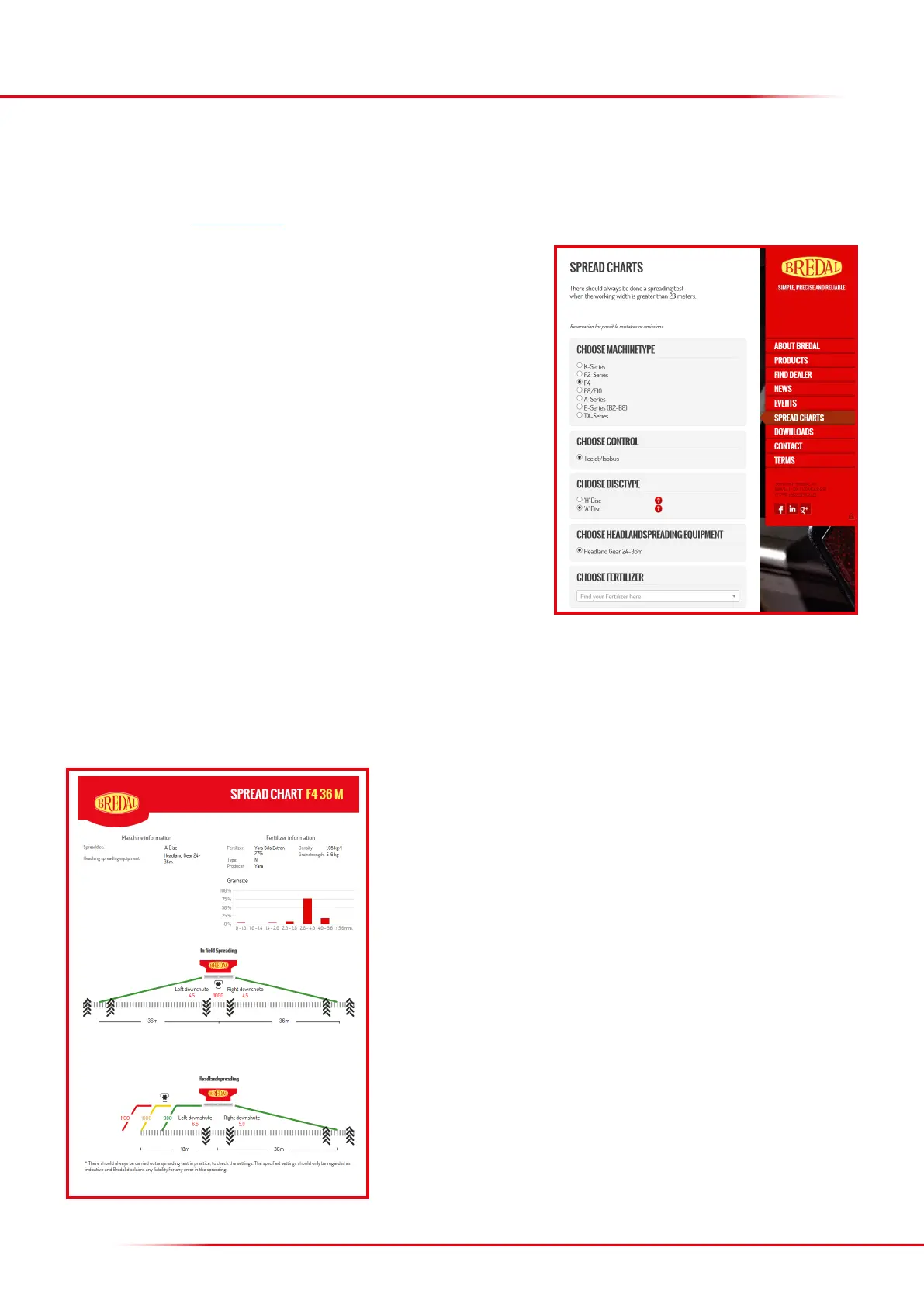
At the website, select “Spread Chart” on the right side of the screen.
Under “Machine type”, select “F4”
It is possible to choose between an A or H disc (F4’s default setting is A discs)
Select the type of fertilizer to be spread
Select the working width to be used
Click “Show results”
This will take you to the results page with the settings that t the type of fertilizer selected.
Enter the recommended downshute settings for eld and headland spreading in the computer.
Also, the spreader should be set to run at the recommended PTO rpm.
The fertilizer, name, manufacturer, density, crushing strength and granule distribution
selected appear in the spread chart at the top of the results page.
The recommended downshute settings and PTO rpm for eld spreading are shown in
the centre of the chart.
The recommended downshute settings and PTO rpm for headland spreading are shown
at the bottom of the chart (scroll down).
Red = complete spreading to boundary
Yellow = medium spreading along boundary
Green = very little fertilizer beyond boundary
SETTINGS FOR VARIOUS TYPES OF FERTILIZER



 To Next Page