35
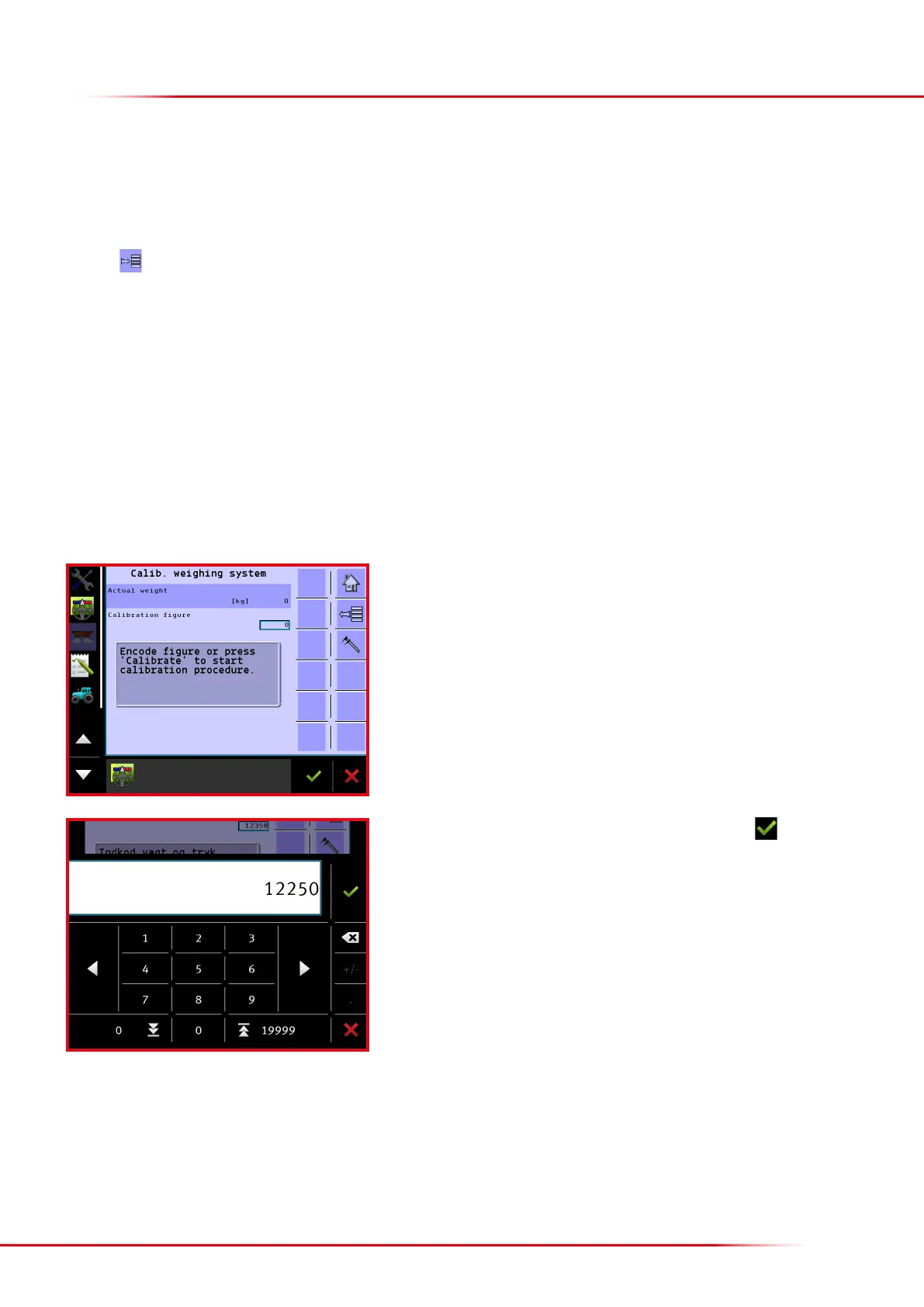
How to adjust the calibration gure:
Start by zeroing the load cells.
Pour a known weight into the spreader.
The lled weight can be seen under “Actual weight”. If the load cells display a gure
that is too high, adjust the calibration gure downwards to a lower gure.
Press “Calibration gure” to modify this.
Enter a new calibration gure which is slightly less, and nish with
Aer correcting the calibration gure, the actual weight will change; continue correcting
the calibration gure until the correct weight is displayed.
If the calibration gure has been mistakenly deleted or changed, re-enter the original
calibration gure. Subsequently, the load cells should be zeroed.
The load cells are calibrated at the factory, but it is possible to recalibrate if the load cells do not display the correct weight.
Instead of making a brand new calibration, it is also possible to change the weighing slightly by correcting the weight shown. This method is
recommended if the weighing works correctly, but the weight is slightly incorrect.
Press the
key from the Home screen display.
Select “Machine”
Select “Calibrations”
Select “Weighing system”
Select “Calibrate weighing system”
If the weight shown on the load cells is slightly incorrect, the calibration gure can be changed until the correct weight is displayed. If the calibration
gure has been mistakenly deleted or changed to an incorrect gure, it is easy to re-enter the correct calibration gure.
> Calibrating the load cells



 To Next Page