31
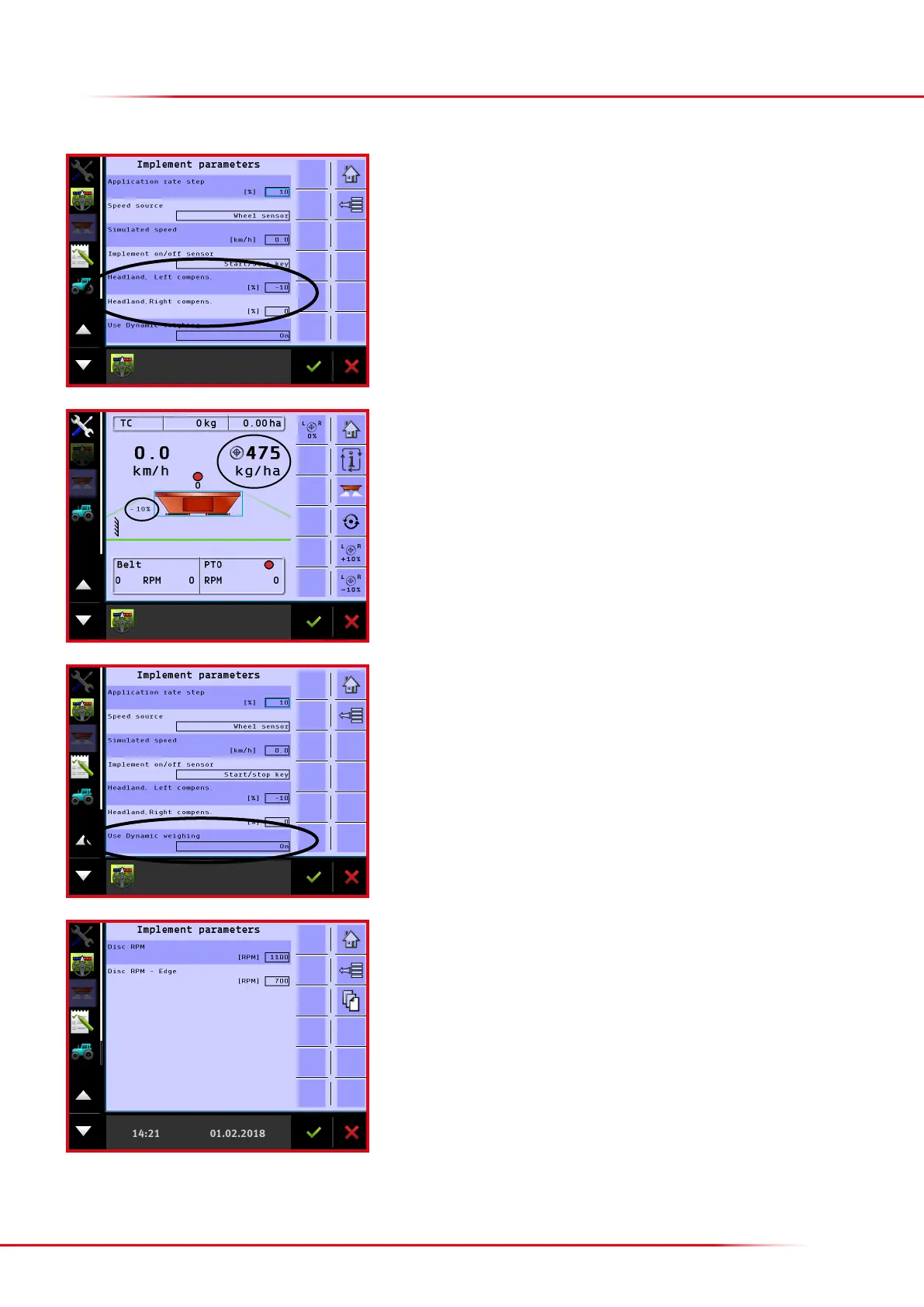
Headland le/right: Here it is possible to enter a reduction of spreading volume when
headland spreading is activated. If no reduction is wanted, “0” must appear in both
elds. Remember a minus sign is required to reduce the volume; if this is omitted, the
spreading volume will be increased when headland spreading is activated.
The default factory setting is -10 % for the headland side, which experience shows
provides the best spreading results.
When a reduction is entered, this will appear in the operation screen when headland
spreading is activated.
Use dynamic weighing: Here, it is possible to activate and deactivate dynamic weighing
(see also p. 29).
Spreading disc rpm:
When the implement has hydraulic spreading discs, the preferred rpm for eld and
headland spreading can be entered on page 2.



 To Next Page