57
Follow this procedure to make sure that the downshutes are correctly positioned.
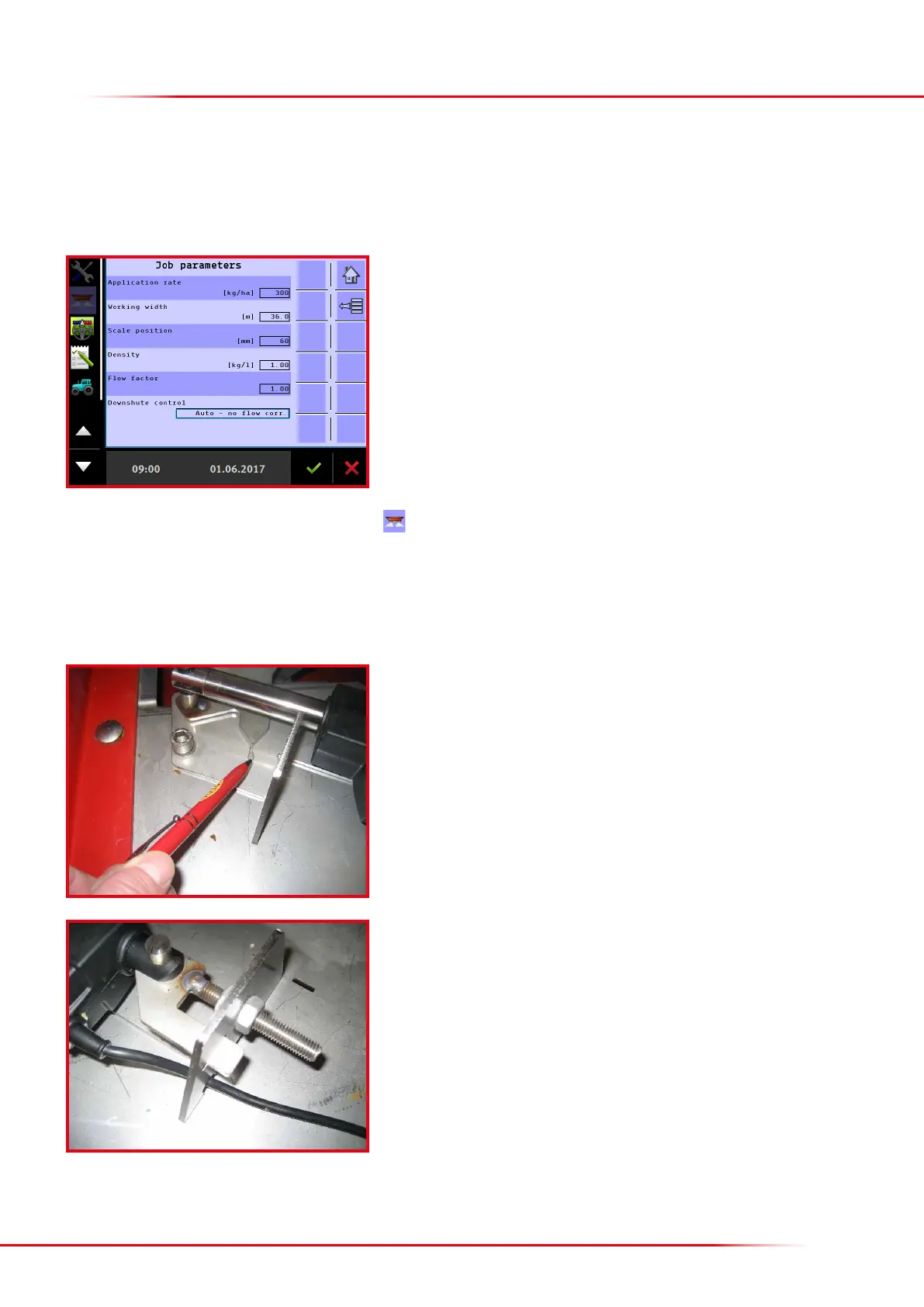
Adjust the actuator’s threading until the downshute’s arrow aligns with the baseplate
arrow.
Aer completing the adjustment:
Remember to re-enter the following settings in the computer: the working width for
spreading and the downshute position to be used for spreading.
Enter “36” metres working width in the computer.
Select “Auto – no ow corr.” under downshute control.
Aer clicking “start spreading”, the downshutes must move out and align with the
small arrow cut into the downshutes’ baseplate. If the arrows do not align, they must
be adjusted until the basic setting is correct.
> Check/adjustment of downshute scale
Return to the operation screen and click “start spreading”
. NB: headland spreading must not be activated, as otherwise the downshutes will
not move into the correct position. Also all sections must be turned on.



 To Next Page