Basic concepts
FC 00 511
21
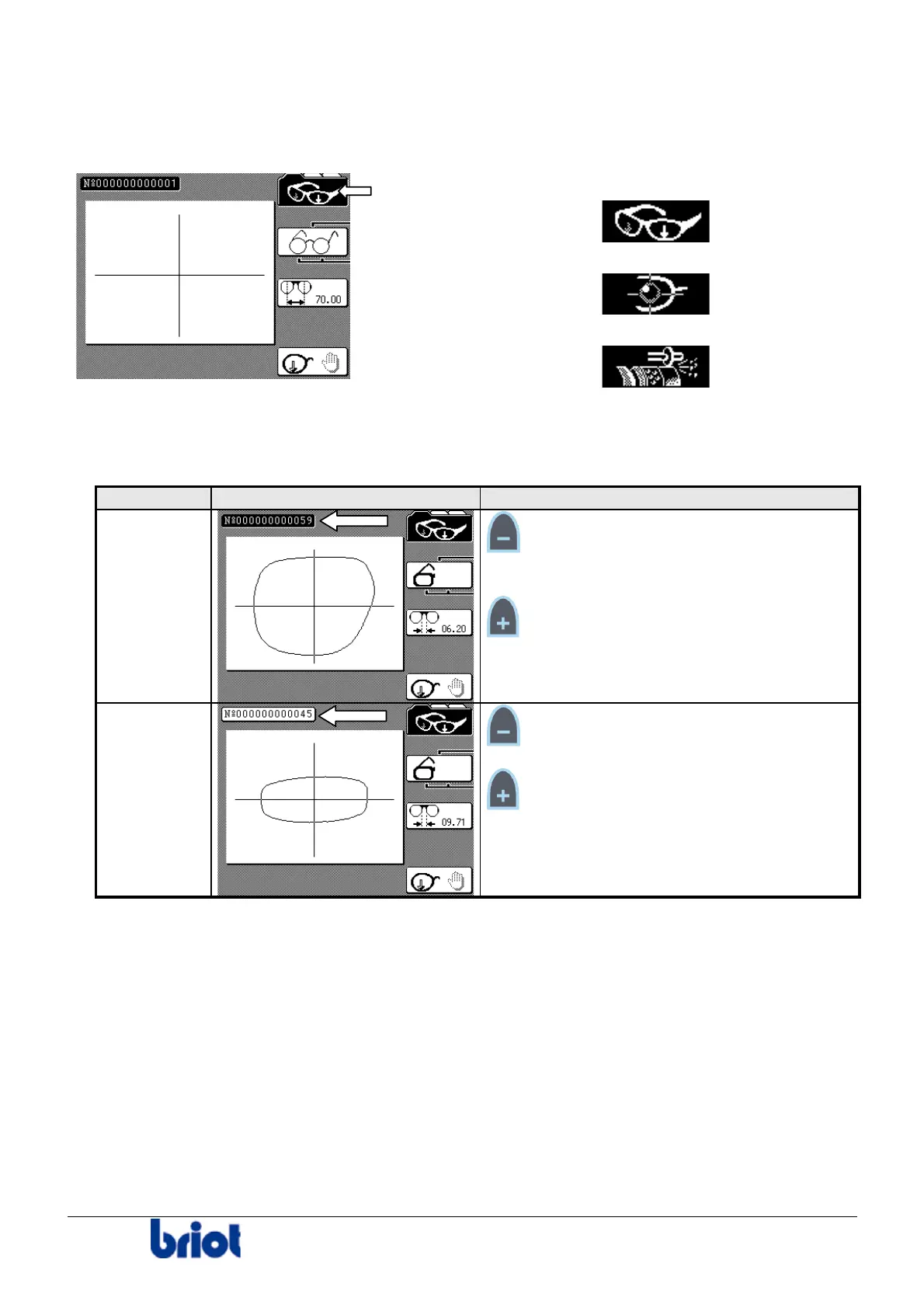
Going from One Mode to the Other
To switch from one mode to the other, press on the function key Fct 1 and display the desired
screen.
The screens scroll in the following order:
1. Tracing screen:
2. Lay-out screen:
3. Edging screen:
Current Job/Previous Job
The memory buffer can contain two jobs (First In- First Out), managed as follows.
Job Illustration Managing
current job:
job number
in inverse
video
Key:
• access to the previous job, in the three
modes.
Key:
• creation of a new job and deletion of the
previous job, in tracing mode.
• inactive, in lay-out and edging modes.
previous
job: job
number
in normal
video
Key:
• inactive, in the three modes.
Key:
• access to the current job, in the three
modes.
Your machine is equipped as standard with a memory board able to contain 156 jobs (117 + 39).
You can work either:
• with the memory buffer (by default);
or
• with the memory extension board;
or
• with an external server.
These three configuration modes are exclusive: you work in one mode OR the other.
See Annex B to use your edger with the memory extension board and Annex C to use it
connected to an OMA server.



 To Next Page