Use : Standard use
38 Silver FC 00 511
Retouching a Lens
Prerequisites
To be able to rework a lens, you must first ensure that:
• the lens block has not been removed from its original lens placement;
• the edging parameters have not been altered.
Procedure
Follow the steps below to retouch a lens after edging.
Step Action
1
Place the lens in the edger again.
2
If the lens to retouch comes from the previous job, press the
key. If not, go to the
following step.
3
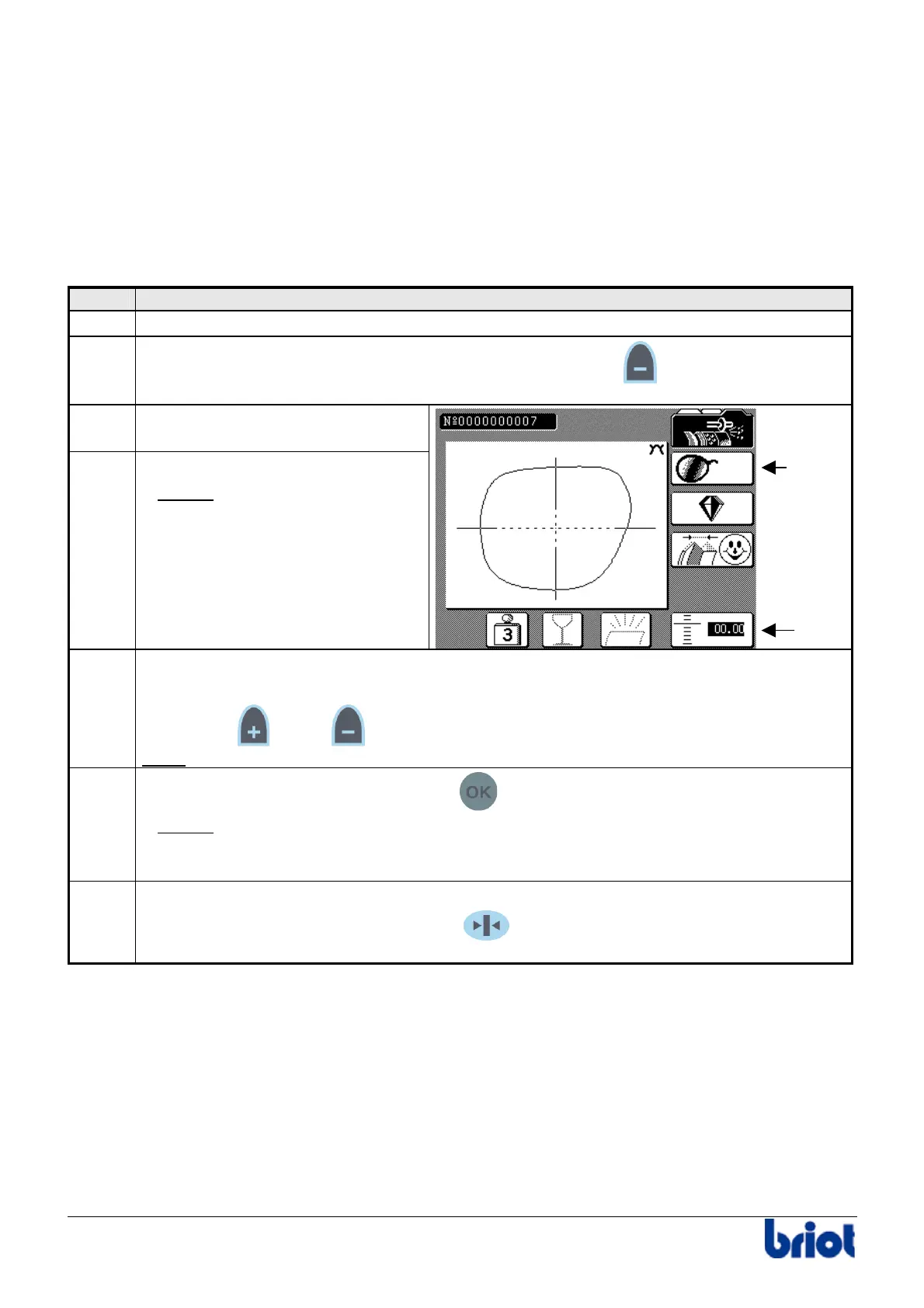
Select the side to be retouched
with the Fct1 key.
4
Press the Fct5 key.
Result:
the size value appears
in inverse video.
5
Enter the correction value using:
• the keypad or
• the
and/or keys.
Note:
the correction value is always in a negative form and is limited to 5/10th mm.
6
Close the visor manually and press the
key.
Result:
The reworking cycle is performed.
Warning! The reworking cycle can only be performed when the correction value
is inverse video.
7
When the reworking cycle is finished, open the visor manually.
Hold the edged lens whilst pressing the
key of the keypad (or the one located
on the left of the edging station for left-handers) to open the lens clamp.
Fct 5
Fct 1



 To Next Page