Maintenance : Settings and adjustments
48
Silver FC 00 511
SELECTING A LANGUAGE
Icon
The icon linked to this Settings is the following: .
Procedure
Follow the steps below to select the language.
Step Action
1
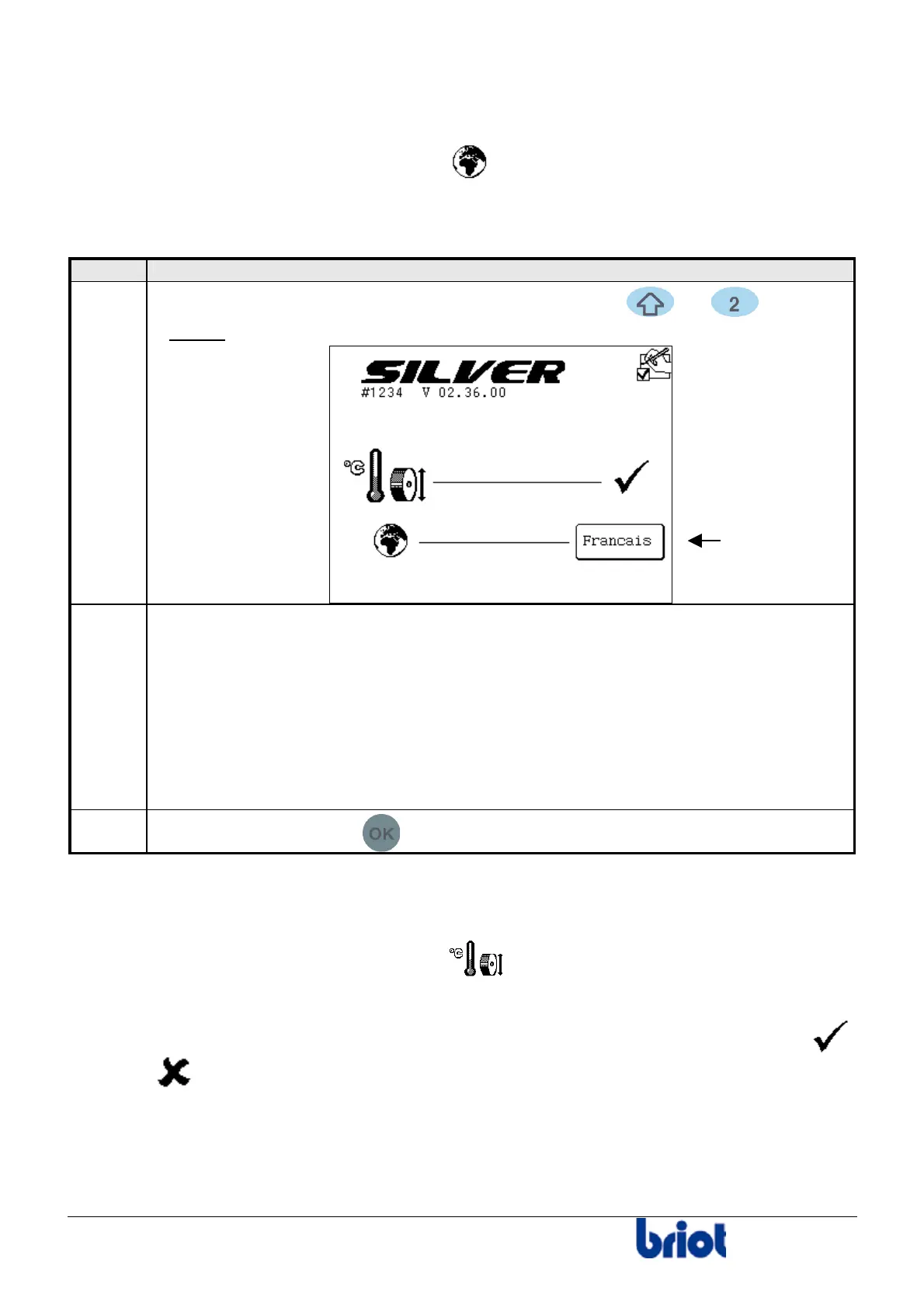
When you are in tracing mode, press simultaneously the and keys.
Result:
the following screen is displayed.
Select your chosen language using the function Fct4.
Press this key until you obtain the language required:
2
• English
• Français
• Español
• Italiano
• Deutsch
• Other
3
Press three times on the
key to go back to the working mode.
CHECKING IF THE TEMPERATURE COMPENSATION IS ACTIVATED/DEACTIVATED
Icon
The icon linked to this Settings is the following: .
Description
• On the screen above you can see whether the temperature compensation is activated ( )
or is not (
).
• When the temperature compensation is activated, the expansion of the edging wheels
due to the water temperature is automatically corrected.
• The temperature compensation is activated by default. To deactivate it, contact your retailer.
Fct4



 To Next Page