Maintenance : messages
72 Silver FC 00 511
LIST
Origin: Scanform™
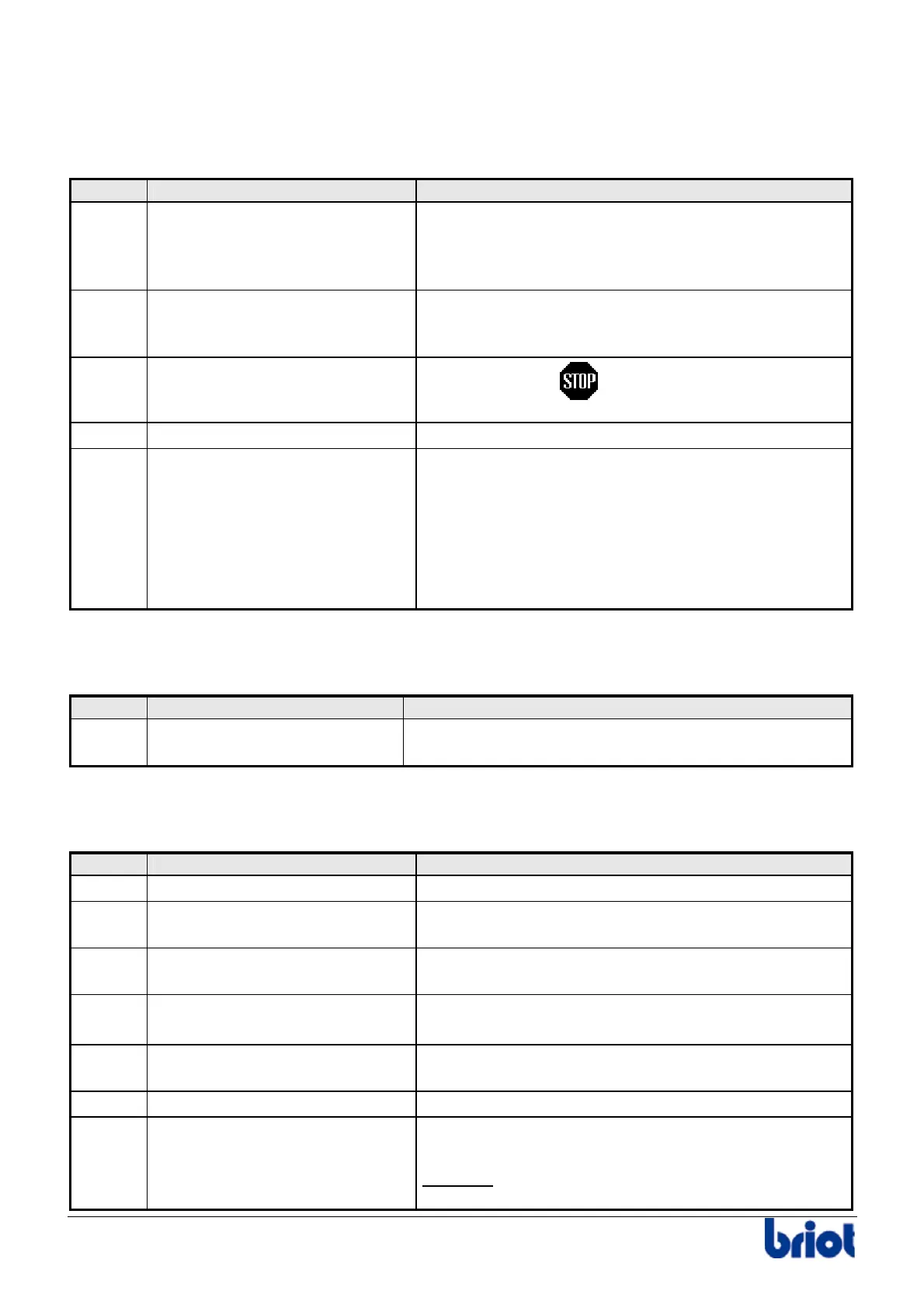
The following table lists the messages that can be displayed while using the Scanform™.
N° Message Cause
01 01 Deactivate the Scanform™ ? The Scanform™ does not initialize correctly. One of
the movements does not operate properly. You can
deactivate the Scanform™ and work with the shapes
saved in the flash memory or on the server.
01 03 Incorrect coherence control An incorrect setting has been produced during a
Scanform™ adjustment. Repeat this adjustment
and ensure it is properly performed.
01 05 Tracing aborted
You pressed the
key during tracing for
example.
01 09 No Scanform Link problem with the scanform™.
01 10 Shape closure prob., continue? The frame has possibly moved during tracing.
The calculation algorithm can correct this problem
but the lens edged may not match the frame shape
(size a little too large)
• Yes: correct the problem and carry on.
• No: stop the process and trace the frame
again.
Origin: Lay-out
The following table shows the messages that can be displayed in the lay-out mode.
N° Message Cause
02 03 Unknown job Call of one job number being neither the current job
nor the previous job aid of the keypad.
Origin: Tracing
The following table shows the messages that can be displayed in the tracing mode.
N° Message Cause
03 01 Memory full More than 117 jobs in the memory
03 04 Overwrite the current job? You are trying to start the tracing cycle of a job that
has already been traced.
03 05 Edging previous job While you create the job n° 3 whereas the job n° 1
is in edging cycle.
03 06 Overwrite the job in memory? The job number to save already exists in memory.
If not, the job is saved under another number.
03 08 Edging present job You try to scan again the present job during the
edging of this job.
03 09 Are you sure? If yes, the current job is deleted
03 11
Incompatible edger config. Incompatibility problem between job parameters and
edger setting.
Example
: job with Polycarbonate lenses on a
machine not equipped with TP wheel.



 To Next Page