Annex B - Use of the internal memory
Silver FC 00 511 B-5
Step Action
8
Access the tracing screen again by pressing the key Fct0.
9
Create a new job using the digital keyboard,
the barcode reader or the key .
Result:
the job is now saved in memory with the specified number.
ADVICE
• Carefully note the job number you have just created. It corresponds to your new job
number. You will be able to recall it easily in the future.
• If you wish to save the last job of the day, press the
key in tracing mode before
switching off the machine.
CALL UP A JOB SAVED IN MEMORY
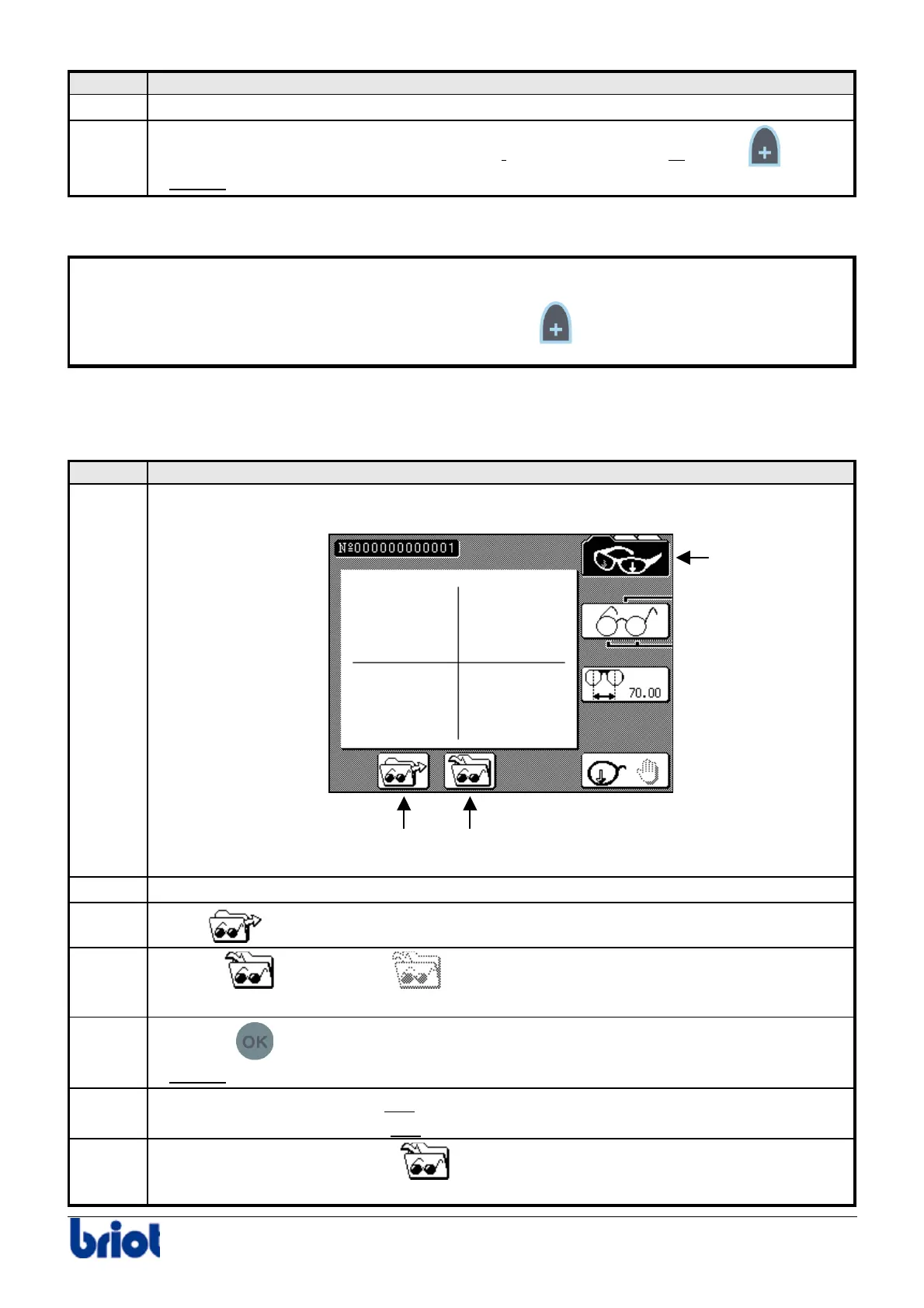
Follow the steps below to call a job saved in memory.
Step Action
1
Press one or several times the Fct0 to access the tracing mode.
2
Enter the job number to recall using the keyboard or the barcode reader.
3
Select
using the key Fct7.
4
Activate
or deactivate the storing function using Fct8, as you require.
Caution! Your current job will be saved when you call or create a new job.
5
Press the
key to call the job.
Result:
the job saved in memory appears on the screen.
6
Move to the lay-out/blocking and
edging screens in order to block and edge the lens.
Refer to the sections Lay-out and
Edging.
7
If you selected the save option
, repeat steps 8 and 9 of the procedure Creating
and Saving a Job as before.
Fct 0
Fct 8Fct 7



 To Next Page