Maintenance : Settings and adjustments
Silver FC 00 511 49
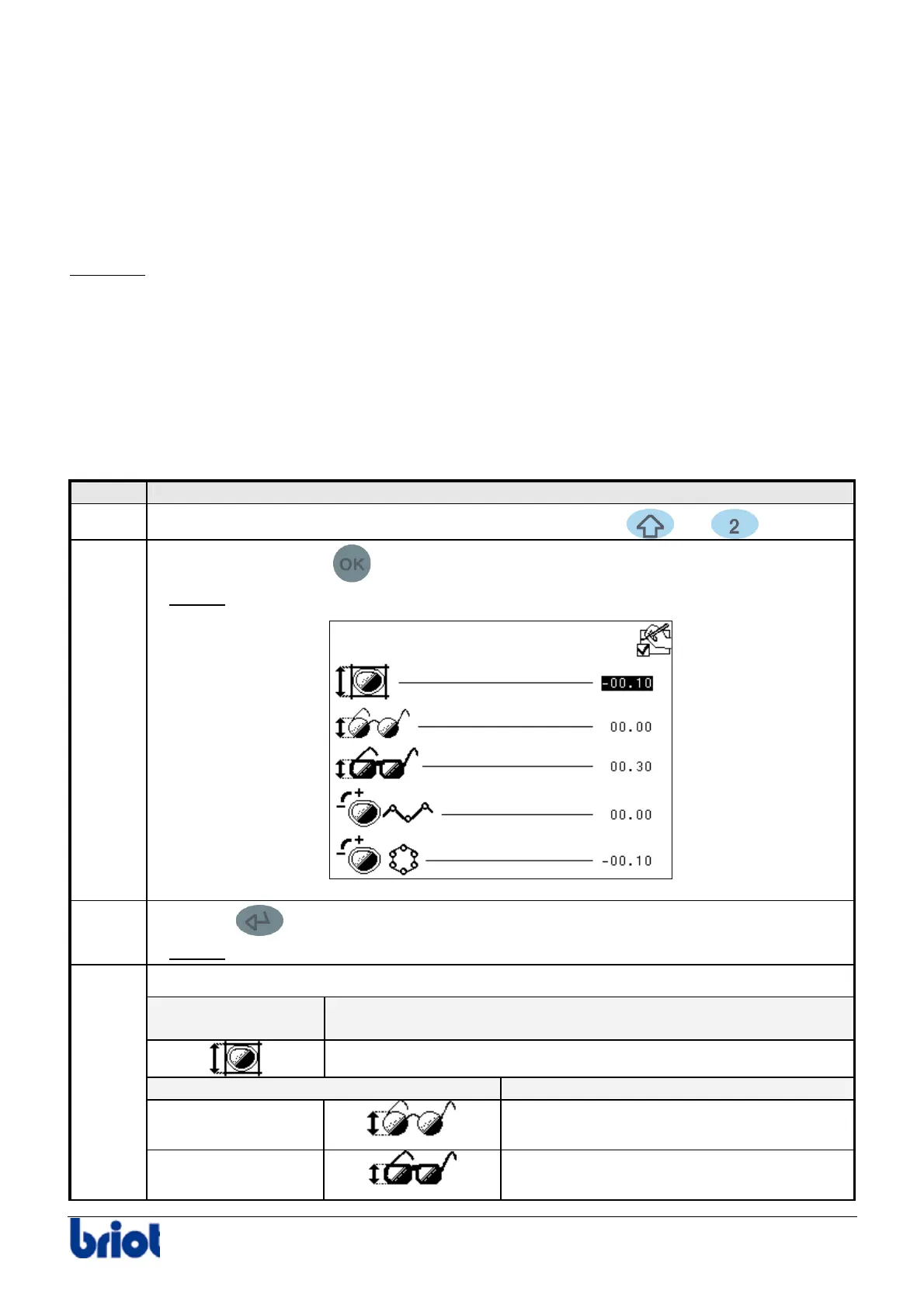
ADJUSTING THE SIZE CORRECTIONS
Description
The size corrections correspond to the positive or negative values added to the size of a lens. The
lens is edged to a size equal to the sum of the overall correction values, frame and lens material.
The value refers to the diameter of the lens to be edged.
Example:
the frame is traced: a value for the diameter of the side traced is saved.
The lens is then edged to the size:
Value saved + overall correction + frame correction + lens material correction
Condition
The machine must be stationary (neither being tracing nor edging).
Procedure
To adjust the size corrections, proceed as follows.
Step Action
1
When you are in tracing mode, press simultaneously the
and keys.
2
Press once on the key
.
Result:
the following screen is displayed:
3
Press the key to highlight the size correction to be changed.
Result:
the selected value appears in brighter color.
Enter the desired value with the keypad.
For overall
correction
the value by default is equal to...
0 mm
If the frame is in... the value by default is equal to...
Metal
0 mm
4
Plastic
0.30mm



 To Next Page