Use : Introduction to your machine
Silver FC 00 511
17
Introduction to the machine
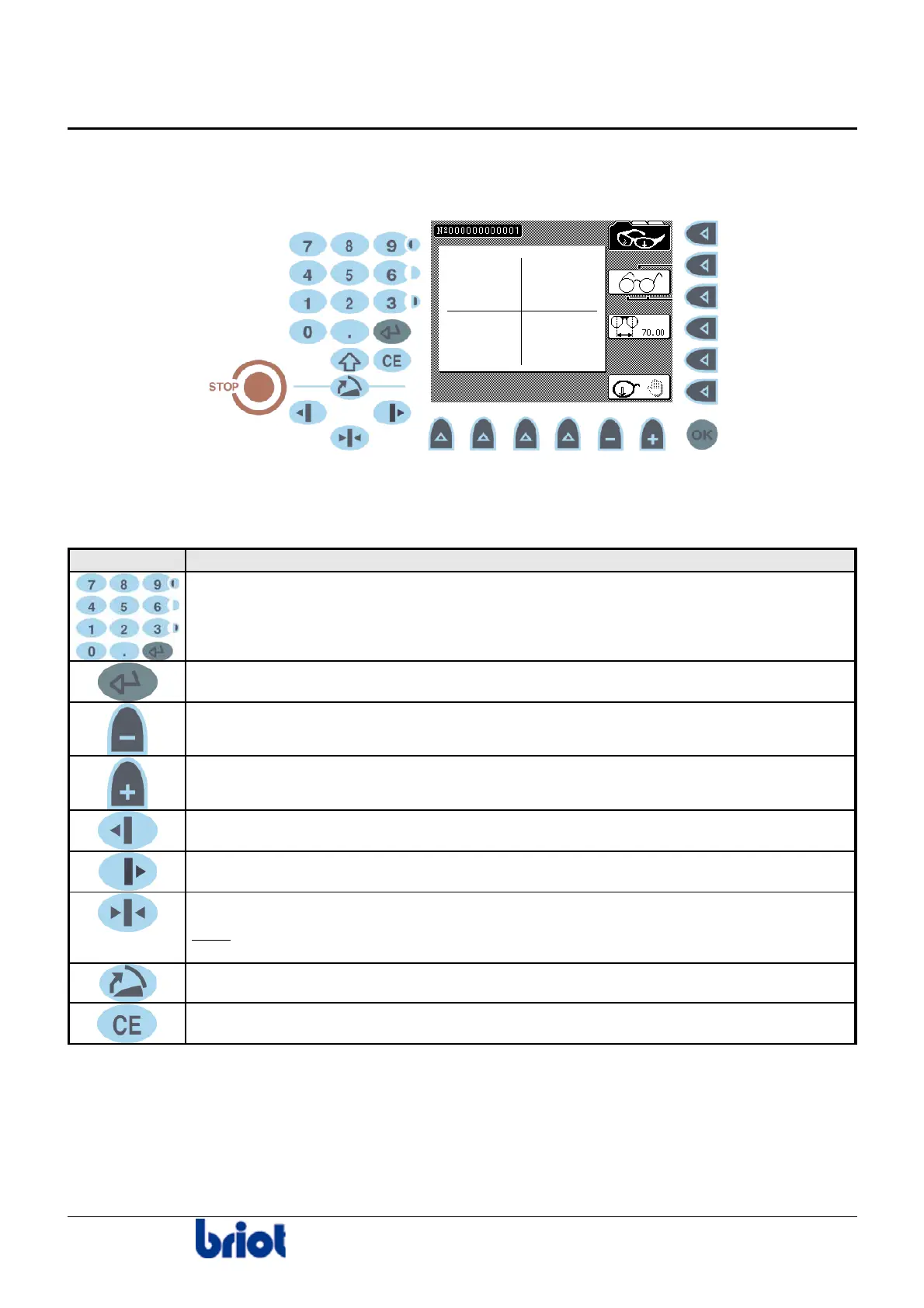
KEYPAD/SCREEN INTERFACE
Keys: Diagram
Keys: Description
The following table describes each key of the keypad.
Key Function/description
Enter numerical values.
Confirm the entered numerical value.
Decrement the selected numerical value.
Increment the selected numerical value.
Move the lens left during roughing and/or rimless.
Move the lens left during roughing and/or rimless.
Tighten/loosen the lens clamp.
Note
: This key exists also to the left of the edging station, for left-handed
people.
Maintenance function. Refer to Annex A, paragraph Emptying the main tank.
Correct error while in entry process.



 To Next Page