Use : Standard use
36 Silver FC 00 511
Beveling a lens
Selecting the bevel finish
If you … Then …
have not selected the function
finishing is performed automatically after the
roughing and the lens feeling.
Go to step 8 of the edging procedure
described above.
have selected the function
the finishing will be in accordance with the
parameters you entered previously.
Go to the procedure Controlling lens bevel
before finishing below.
Controlling the bevel before finishing
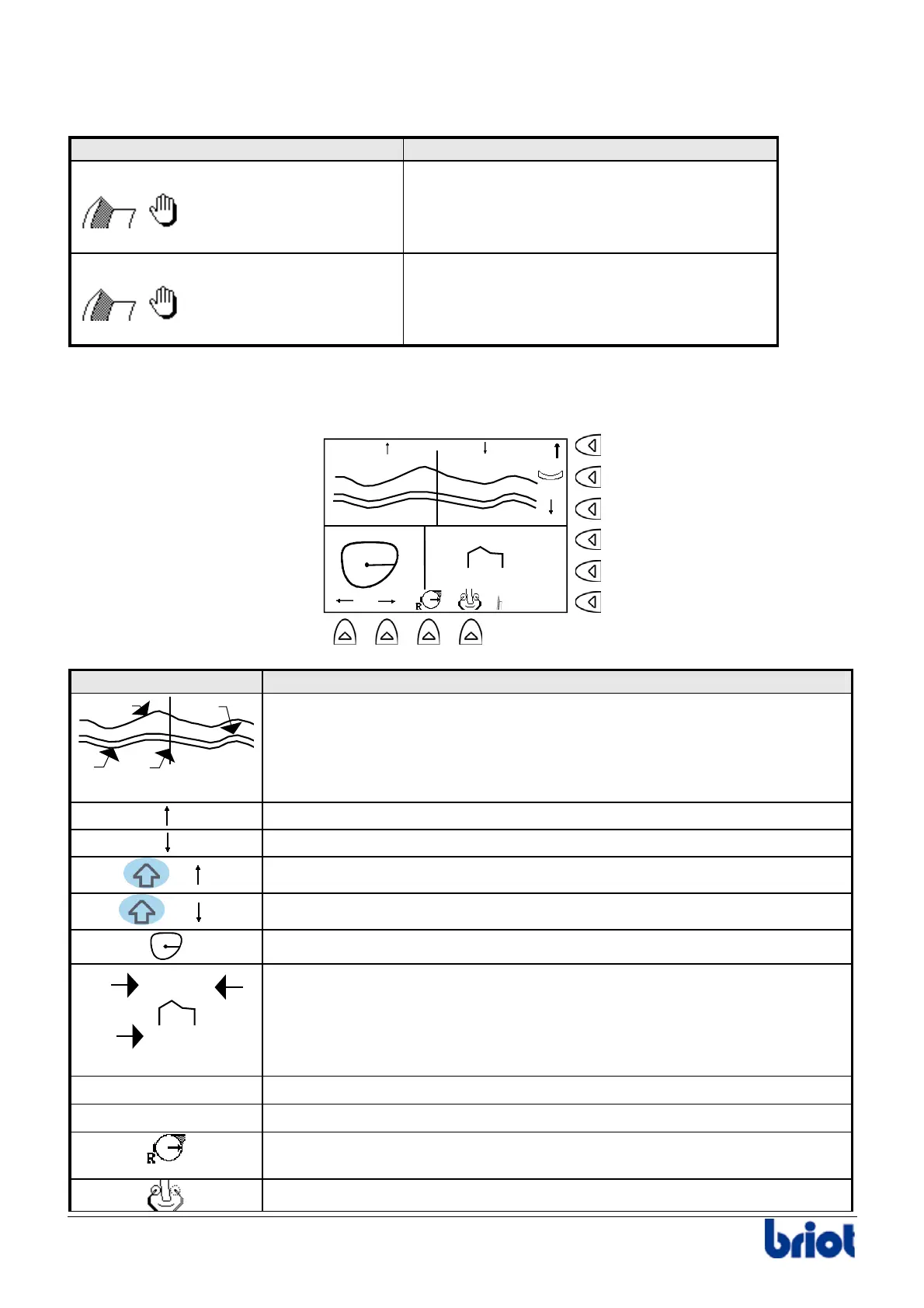
o Display description
1.48 2.97
4.45
1/3-2/3
Symbol Description
3
4
1
2
Developed curve of the lens’s edge and of the bevel:
1. Rear side of the lens
2. Bevel apex
3. Front side of the lens
4. Position Index
Move the bevel apex towards the back of the lens.
Move the bevel apex towards the front of the lens.
+
Allow the bevel to pivot towards the rear of the current index position.
+
Allow the bevel to pivot towards the front of the current index position.
Position Index
4.45
1.48 2.97
1
3
2
Lens profile corresponding to the current index:
1. Top bevel Position/front side
2. Top bevel Position/rear side
3. Value of the lens thickness
Allow the lens index to be moved to the right.
Allow the lens index to be moved to the left.
Make it possible to select the bevel point the position of which will be
changed (the opposite point is the pivot which cannot move).
Allow the lens to be re-felt.



 To Next Page