Maintenance : Settings and adjustments
Silver FC 00 511 69
Lens feeler, lens size and Scanform™ adjustments
Procedure
Proceed as follows to consult the statistics with regard to the lens feeler, lens size and
Scanform™ adjustments.
Step Action
1
When you are in tracing mode, press simultaneously the and keys.
Result:
the first statistics screen is displayed (refer to the paragraph lens counters
above, step 1).
2
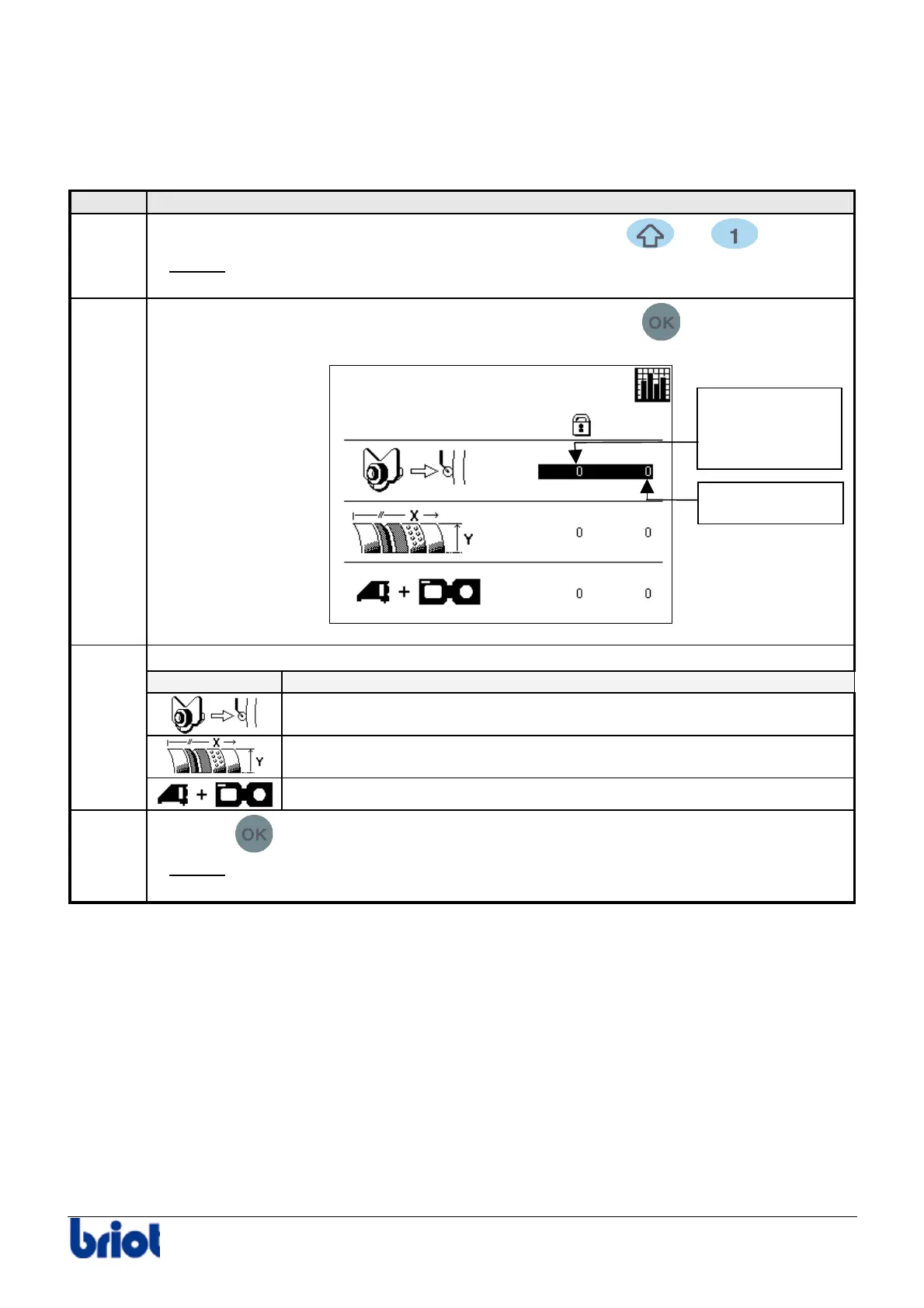
Access the following screen by pressing several times on the
key.
Consult your chosen data.
Icon Meaning
Number of lens feeler adjustments performed.
Number of size adjustments performed.
2
Number of Scanform™ adjustments performed.
3
Press the
key.
Result:
the statistics screen with regard to the type of tracing is displayed
(refer to the following paragraph, step 1).
Partial counter
Total and
permanent
counter



 To Next Page