Installation / Starting
8
Installation / Starting
Unpacking Machine
WARNING
If you proceed to install your edger yourself, please do not discard boxes or any of its
packing contents.
PROCEDURE
Follow the steps below to unpack your edger unit.
Step Action Illustration
1
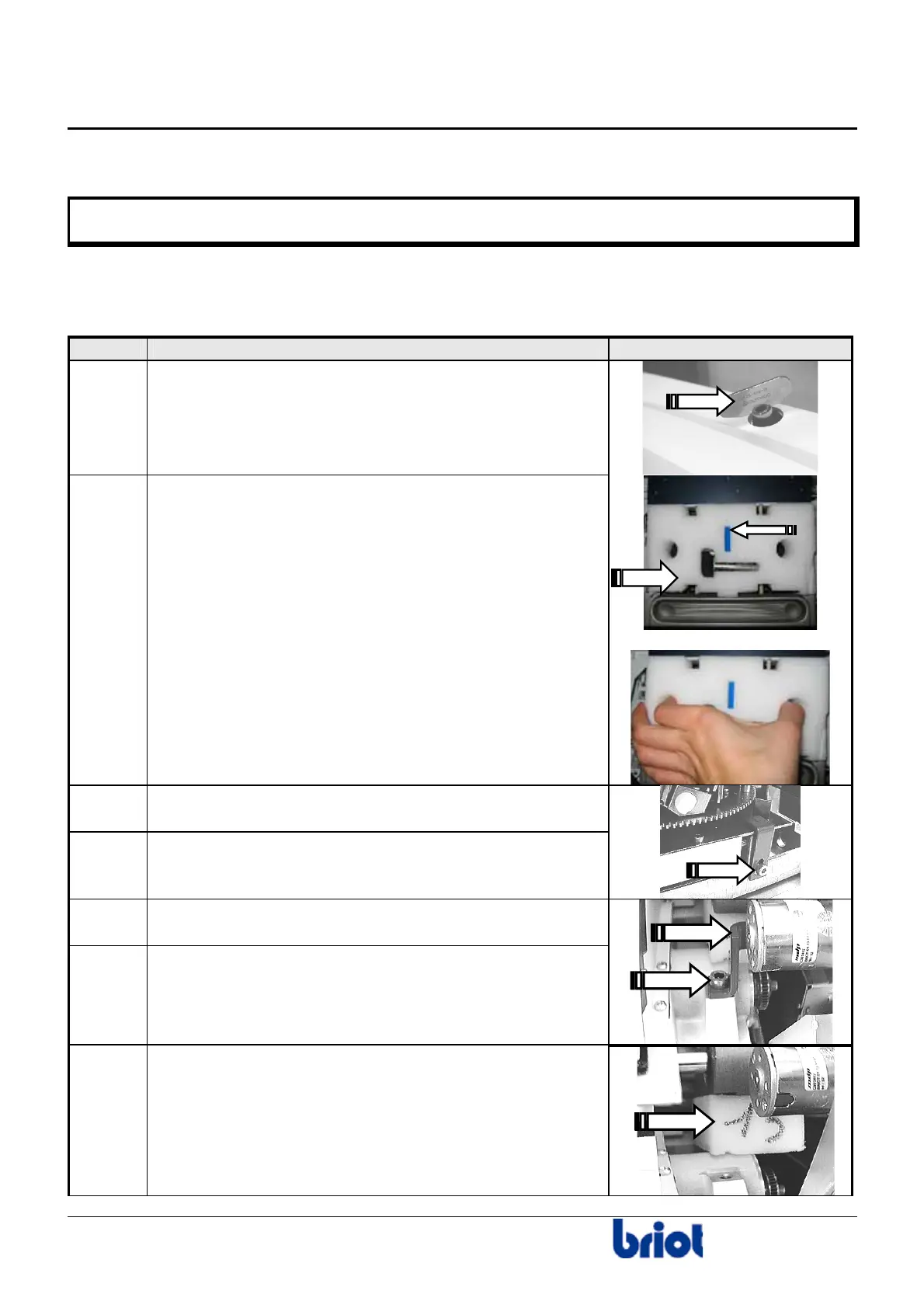
Remove the edger cover guard, by using the ¼-turn key
contained in accessory box.
2
Carefully remove the big white wedge from the
Scanform™.
Caution!
The small blue wedge supports the stylus and is
removed when you remove the white wedge. If not, do
not forget to do it.
3
Unscrew and remove the CHC fixing screw of the red
metallic flange.
4
Remove the red metallic flange.
5
Loosen and remove the Allen screw of the carriage
shipping flange.
6
Remove the carriage flange.
7
Remove the wedge located between the chassis
and the carriage.



 To Next Page