Maintenance : Settings and adjustments
50
Silver FC 00 511
Step Action
If the lens material is... the value by default is equal to...
CR39
0 mm
polycarbonate
+ 0.10mm
5
Press the key to validate your entry.
6
Go from the step 3 of this procedure until you adjust all the corrections.
7
Press several times on the
key to go back to the working mode.
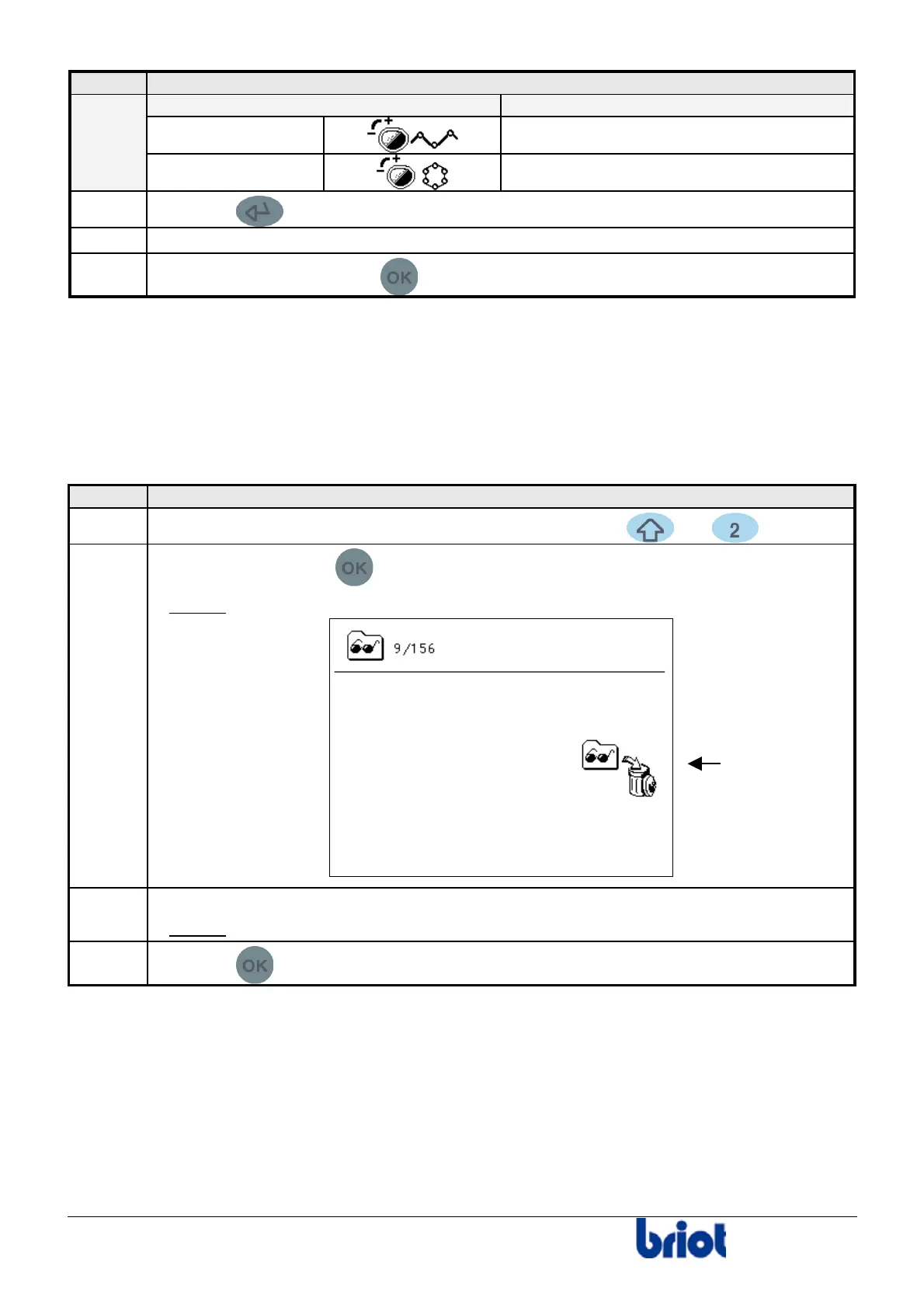
EMPTYING THE INTERNAL MEMORY
When the edger operates with the internal memory (neither with the memory buffer nor with an
external server), it is possible to delete all the jobs you have saved before.
Proceed as follows to empty the internal memory.
Step Action
1
When you are in tracing mode, press simultaneously the and keys.
2
Press twice on the key
.
Result:
the following screen is displayed.
3
Press the function key Fct3.
Result:
all the jobs have been deleted.
4
Press the
key to confirm the deletion and/or move to the following adjustment.
Fct3



 To Next Page