Use : Standard use
Silver FC 00 511 35
Step Action
7
Close
the visor manually and start the edging cycle using the key.
Result:
The visor closes automatically and the edging cycle starts in the following
order:
1. Roughing
2. Tracing
3. Result: If the lens is too small for the shape, a message appears on the screen.
Go to paragraph Re-tracing a lens below.
4. Finishing
5. Polishing (if selected)
Result:
When edging is finished, you may open the visor manually.
8
To open the lens clamp, hold the lens whilst pressing the key on the keypad
(or the key situated on the left of the edging unit for left-handers).
9
Remove the lens from the left side adaptor, making sure not to remove the block
as some re-edging might be necessary for proper sizing of lens.
Re-feeling a lens
Caution! You can re-feel a lens only when you are at the bevel finish step.
Follow the steps below to re-feel a lens.
Step Action
1
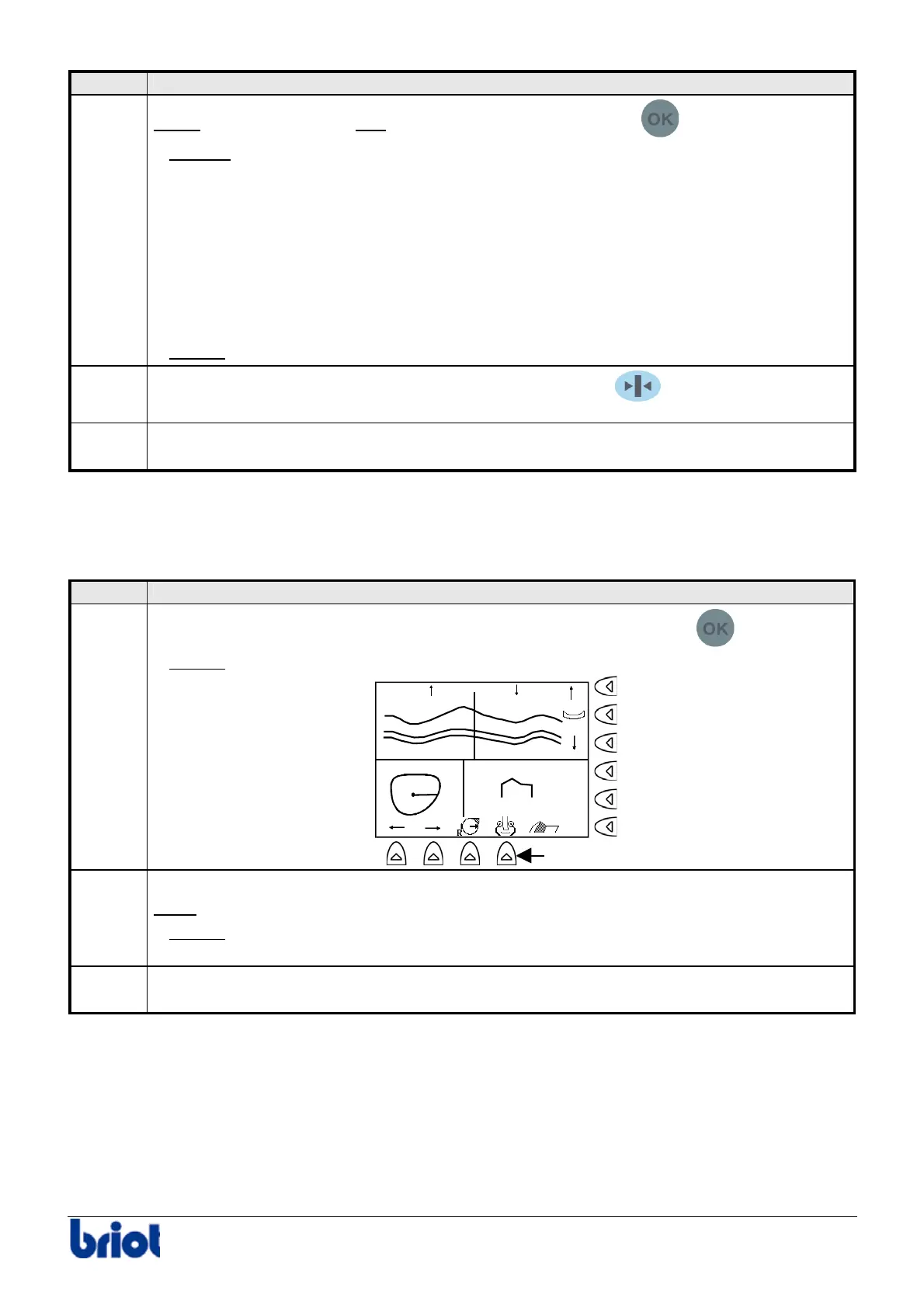
When the message Lens too small for shape is displayed, press the
key.
Result:
the following screen is displayed.
1.48 2.97
4.45
1/3-2/3
Fct9
2
Press the Fct9 key to re-feel the lens from 0.5 mm inside the lens.
Note:
you can re-feel the lens up to three times from 0.5 mm inside each time.
Result:
If these three operations are not sufficient, the lens is much too small, the
machine cannot edge it.
3
Perform the finishing cycle. To do this, go to step 7 – phase 3 of the procedure Edging
a lens above.



 To Next Page