98 Brocade MLX Series and NetIron XMR Hardware Installation Guide
53-1002373-02
Installing a Brocade MLXe-16 router
2
Follow these steps to connect AC power:
1. Locate the power supply AC inlet at the bottom rear of chassis for the associated installed
power supply.
2. Lift the cord retainer and connect an AC power cord to the associated power supply AC inlet.
3. Snap the cord retainer over the power plug to hold it in place.
If the installation requires a different power cord than the one supplied with the router, make
sure you use a power cord displaying the mark of the safety agency that defines the regulations
for power cords in your country. The mark is your assurance that the power cord can be used
safely with the router.
4. For information about powering on the system, refer to “Activating the power source” on
page 141.
Connecting DC power
You can supply DC power to the Brocade MLXe-16 router using a DC-to-DC power supply. DC power
must be supplied at 48 V and 30 A minimum. The DC-to-DC supply provides the DC power to the
router at 12 V and 100 A.
The procedure in this section is for qualified service personnel.
Follow these steps to connect a DC power source.
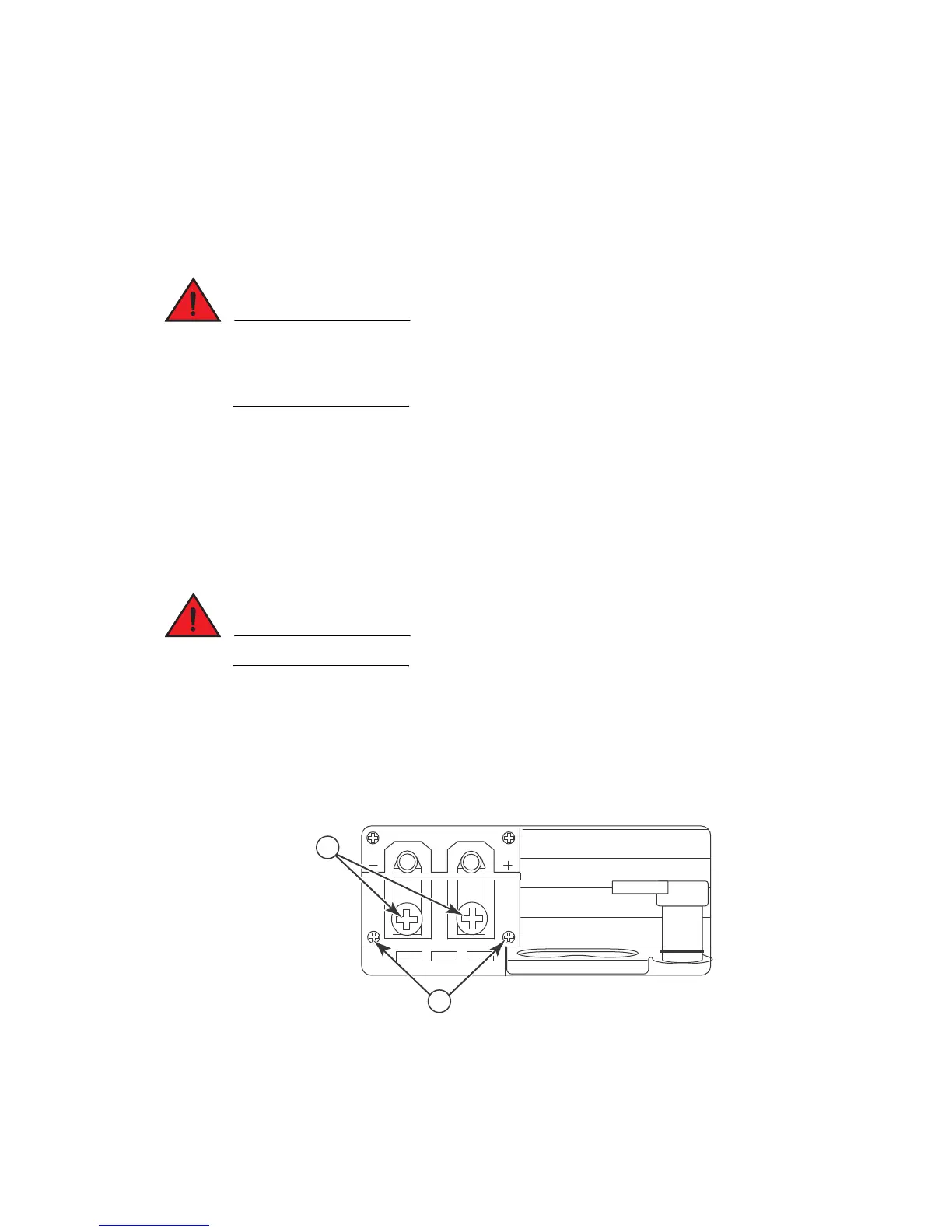
1. Use a #1 Phillips screwdriver to remove the two screws that secure the plastic cover over the
power supply lugs, then remove the cover, as shown in Figure 62.
FIGURE 62 Cover screws and DC power lugs
2. Use a #2 Phillips head screwdriver to remove the power lugs.
3. Crimp #8 AWG power supply wire into the power lugs and reconnect the power lugs to the
power supply unit. Refer to Figure 63.
1 Transparent cover screws 2 Power lugs


 To Next Page
 Loading...

