Brocade MLX Series and Brocade NetIron XMR Hardware Installation Guide 245
53-1002373-02
Installing a Brocade NetIron XMR 4000 router
4
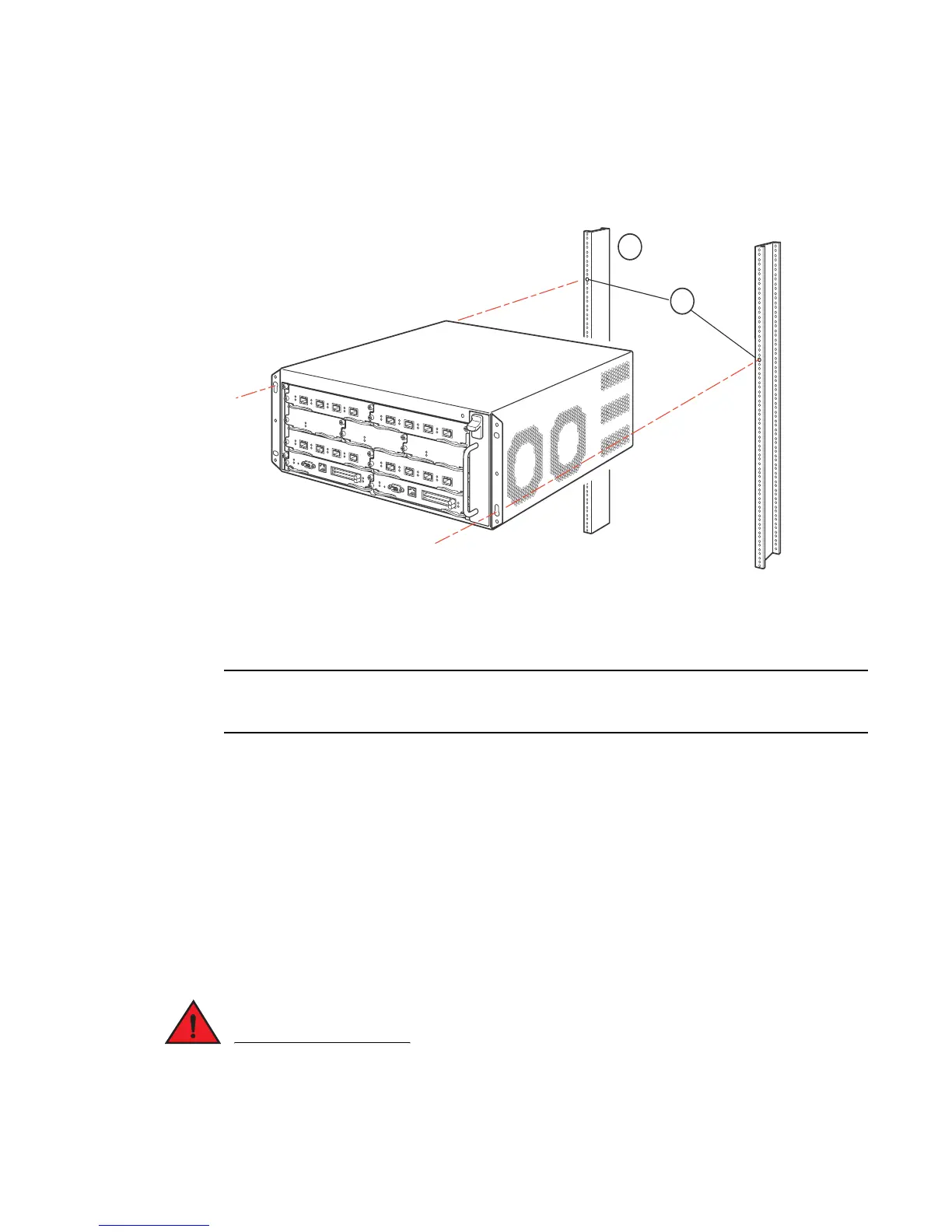
3. Mount the lowest router in the rack as shown in Figure 170. Slip the wide portion of each
keyhole slot over the corresponding mounting screw in the rack. Two people may be required to
perform this task.
FIGURE 170 Mounting the Brocade NetIron XMR 4000 router in a rack (front-mount configuration)
4. Slide the router down so that the screw heads are in the narrow portion of the keyhole slots.
5. Tighten the screws to secure the router.
To provide better grounding of the router to the rack, use star washers to attach the router. You can
also use star washers with any single-hole grounding lugs to prevent rotation of the lug.
6. Add additional screws as needed.
7. Re peat step 2 through step 6 to mount each subsequent router in the same rack.
Installing Brocade NetIron XMR 4000 modules
The Brocade NetIron XMR 4000 router ships with the required switch fabric modules installed.
The installation procedure in this section applies to all modules. The sequence for installing
multiple modules is important to ensure proper fit. The recommended sequence for the Brocade
NetIron XMR 4000 router is to start with the lowest row, then move upwards from right-to-left.
For instructions about installing 2x100GbE interface modules, refer to “Installing 2x100GbE
interface modules in Brocade MLX routers” on page 239.
The intra-building port or ports of the equipment or subassembly is suitable for connection to
intra-building or unexposed wiring or cabling only. The intra-building port or ports of the
equipment or subassembly MUST NOT be metallically connected to interfaces that connect to the
1 Standard 19 inch rack



 To Next Page
 Loading...
