Brocade MLX Series and Brocade NetIron XMR Hardware Installation Guide 45
53-1002373-02
Router modules
1
All POS modules support both Packet over SONET and Packet over SDH.
Dual speed OC-12c and OC-48c POS interface modules
Dual-speed OC-48c or OC-12c POS interface modules can be reconfigured through the CLI to
support OC-48 or OC-12 speeds.
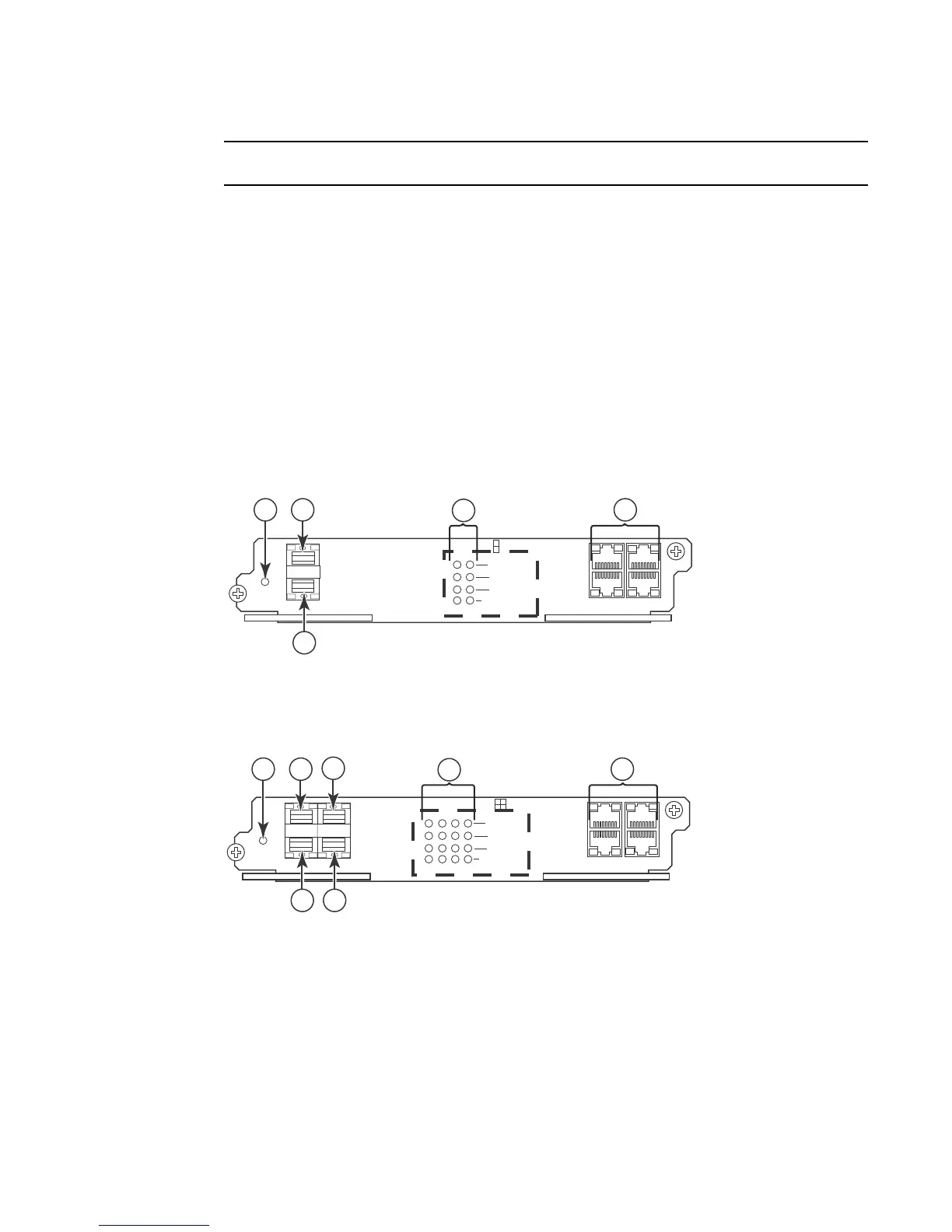
The front panels of OC-12c and OC-48c POS interface modules contain the following features:
• Two, four, or eight ports that can accommodate SFP optics.
• A power LED to indicate if power is being received by the module.
• Four LEDs per port that indicate the following port states: Active or Local Fail, TX Pkt, RX Pkt,
and Carrier Rcvd or Remote Fail.
• Two IN and two OUT RJ-48 connectors to provide a BITS external clock source and to propagate
a common clock source (Line or BITS) among POS modules.
Figure 26, Figure 27, and Figure 28 illustrate these features.
FIGURE 26 2-port OC-12X and OC-48c POS interface module
FIGURE 27 4-port OC-12c and OC-48c POS interface module
1 Power 3 Port 2 5 BITS clocking port
2 Port 1 4 Port status LEDs
1 Power 3 Port 2 5 Port 4 7 BITS clocking ports
2 Port 1 4 Port 3 6 Port status LEDs
Power
Active /
Local Fail
Tx Pk
t
BITS1
BITS2
Rx Pkt
Carrier Rcvd /
Remote Fail
I
N
O
U
T
12
1
2
I
N
O
U
T
1
2
4
5
3
Power
Active /
Local Fail
Tx Pk
t
BITS1
BITS2
Rx Pkt
Carrier Rcvd /
Remote Fail
I
N
O
U
T
1234
1
2
3
4
I
N
O
U
T
2
4
1
6
7
3 5



 To Next Page
 Loading...
