2 - 19
Feed unit
Main unit
Disassembly
Disassembly
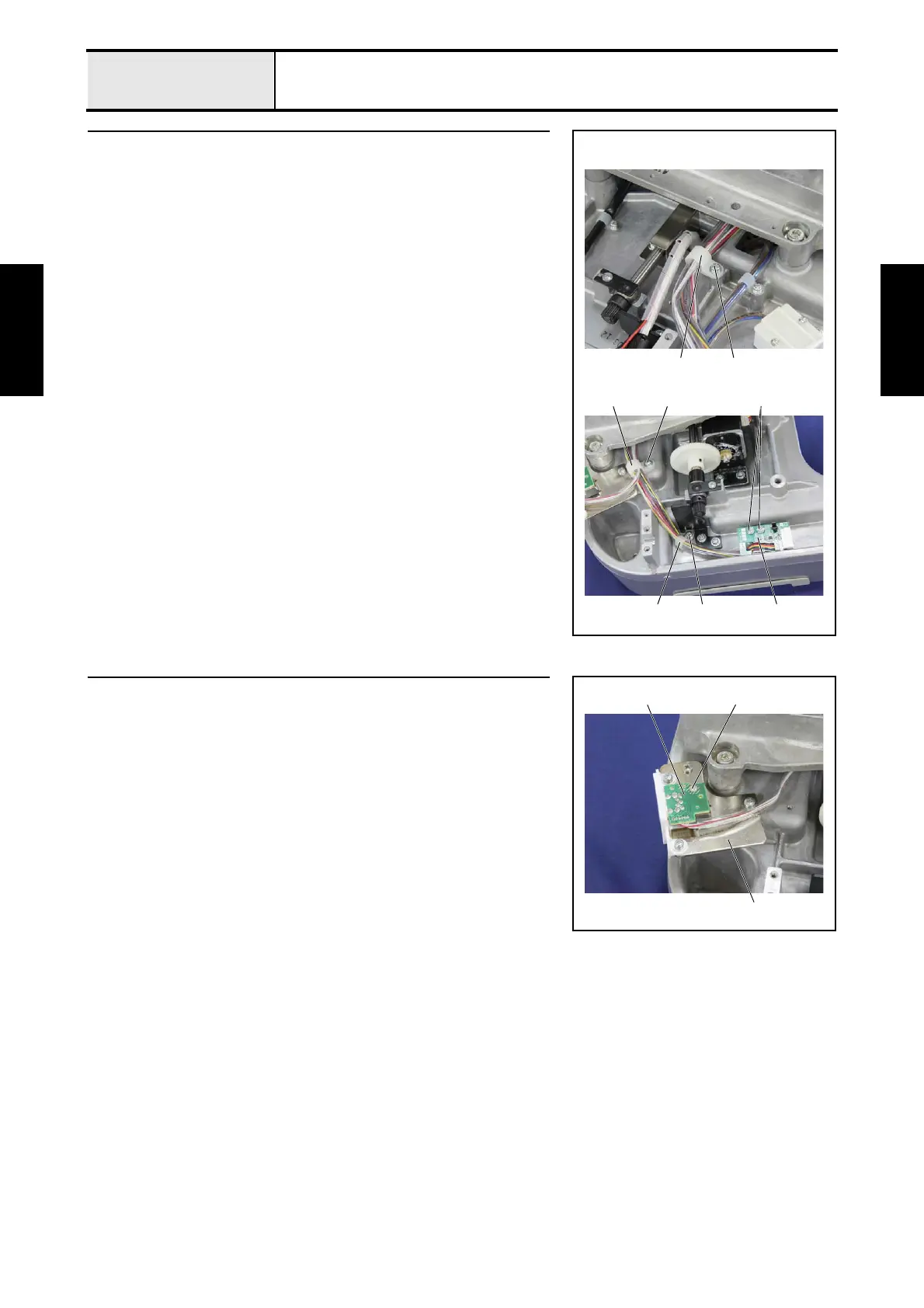
3 Y area PCB assembly removal
1. Remove the screw 1, and then remove the cord clamp 1.
2. Remove the screw 2, and then remove the cord clamp 2.
3. Remove the screw 3, and then remove the cord clamp 3.
4. Remove the 2 screws 4, and then remove the Y area PCB assembly 4.
4
3
2 2
43
1 1
4 Extension IF PCB assembly removal
1. Remove the screw 1, and then remove the extension IF PCB assembly 1
from the EX connector holder 2.
1
2
1















 To Next Page