Style Programming
MATRIX CUBE - 62 -
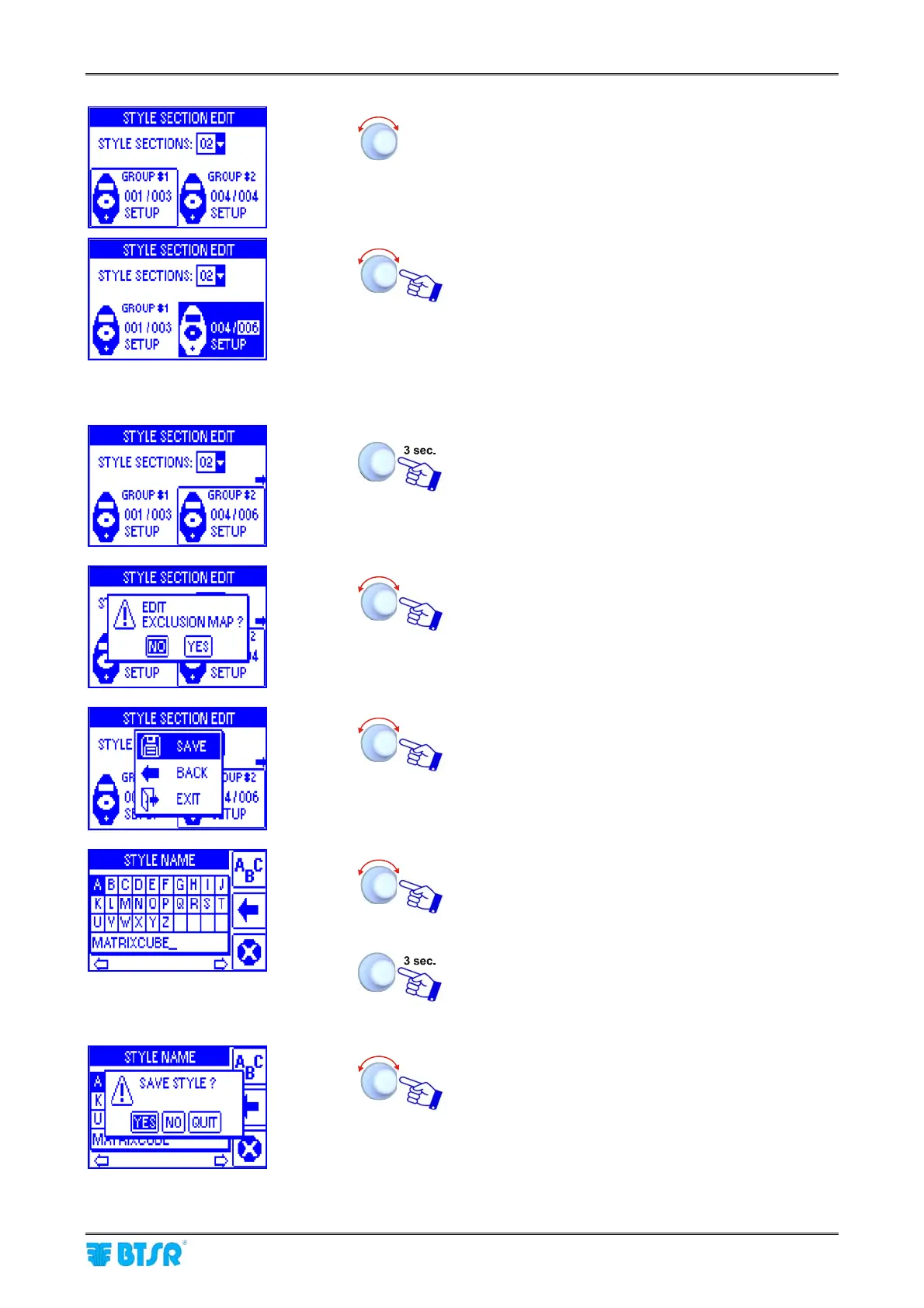
Select GROUP #2
Set the identification number of the last device
belonging to section 2 (006) then select SETUP.
Set the operation parameters related to section 2 in
the SETPOINT, TEN.CTRL, ADV windows, as
indicated above for section 1.
Repeat the described sequence to setup the device
interval for sections 3 and 4.
Once you have setup the parameters of all sections.
If you replay YES to this question, then a map of the
configured positions will appear, with the possibility
of excluding one or more positions.
SAVE to save the set parameters and move to
the STYLE NAME setting screen.
Set the Style Name (e.g. MATRIXCUBE2), to
replace the MATRIXCUBE default name (*),
operating as described on paragraph - Navigation
throughout the Display Windows.
Once you have setup the Style Name.
(*) Maximum style name = 15 characters
YES to save the style (MATRIXCUBE2) to
the database.











 To Next Page