Chapter 2 Configuration
Configure and manage your LinkStation using the Settings interface, accessible from a browser window. Open the
interface using the procedure below or type the LinkStation’s IP address in the URL field of your browser.
Opening Settings
Opening from a Computer
Note: Firefox, Google Chrome, Internet Explorer 9 or later, Safari 8 or later are supported. If you have difficulty
viewing Settings, check whether you have a proxy server enabled in the browser settings. If you do, disable the
proxy server.
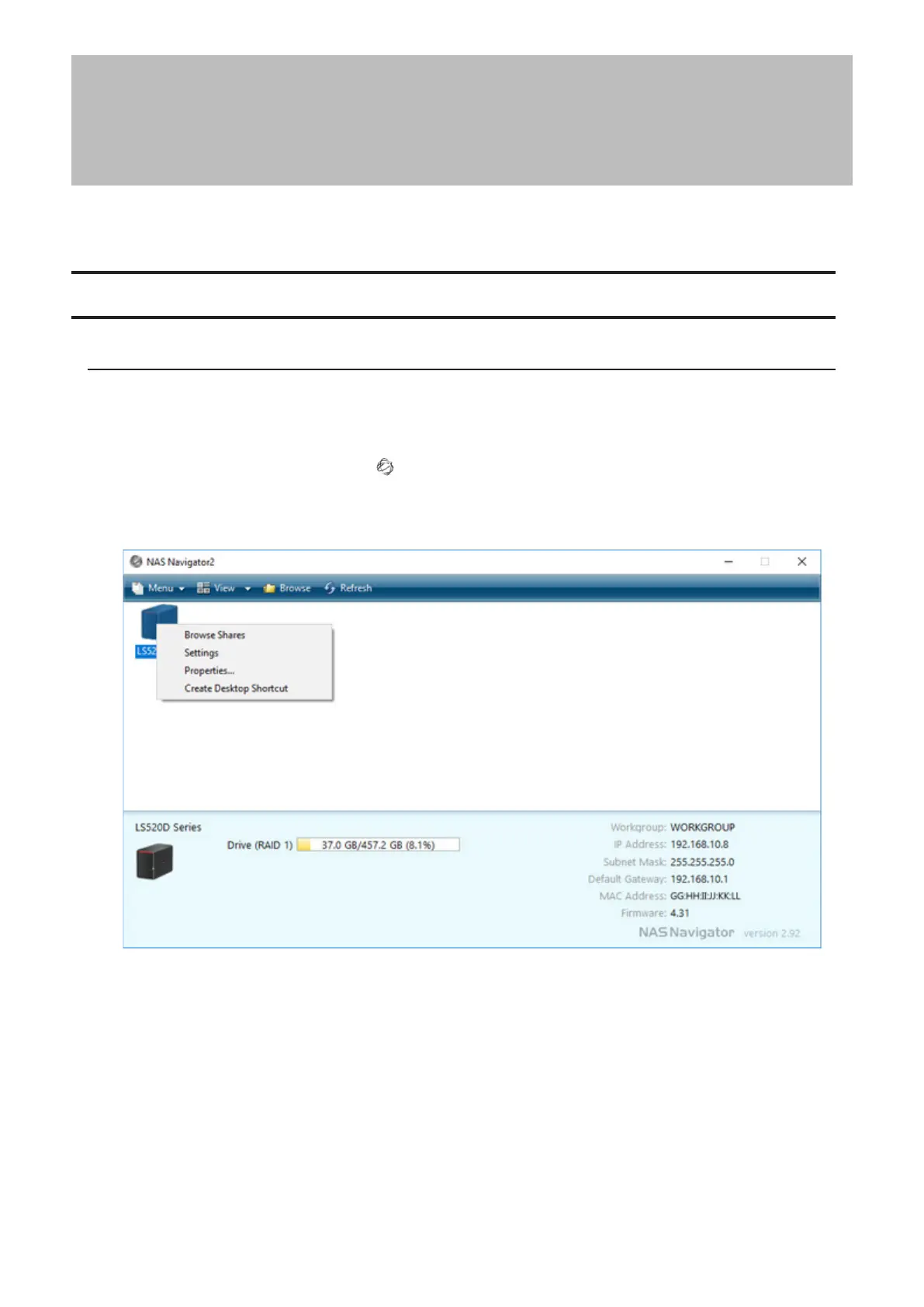
1 Double-click the NAS Navigator2 icon ( ) to start NAS Navigator2.
2 Right-click on your LinkStation’s icon and click Settings. For macOS, click your LinkStation’s icon while holding
down the control key, then click Settings.
12













 To Next Page