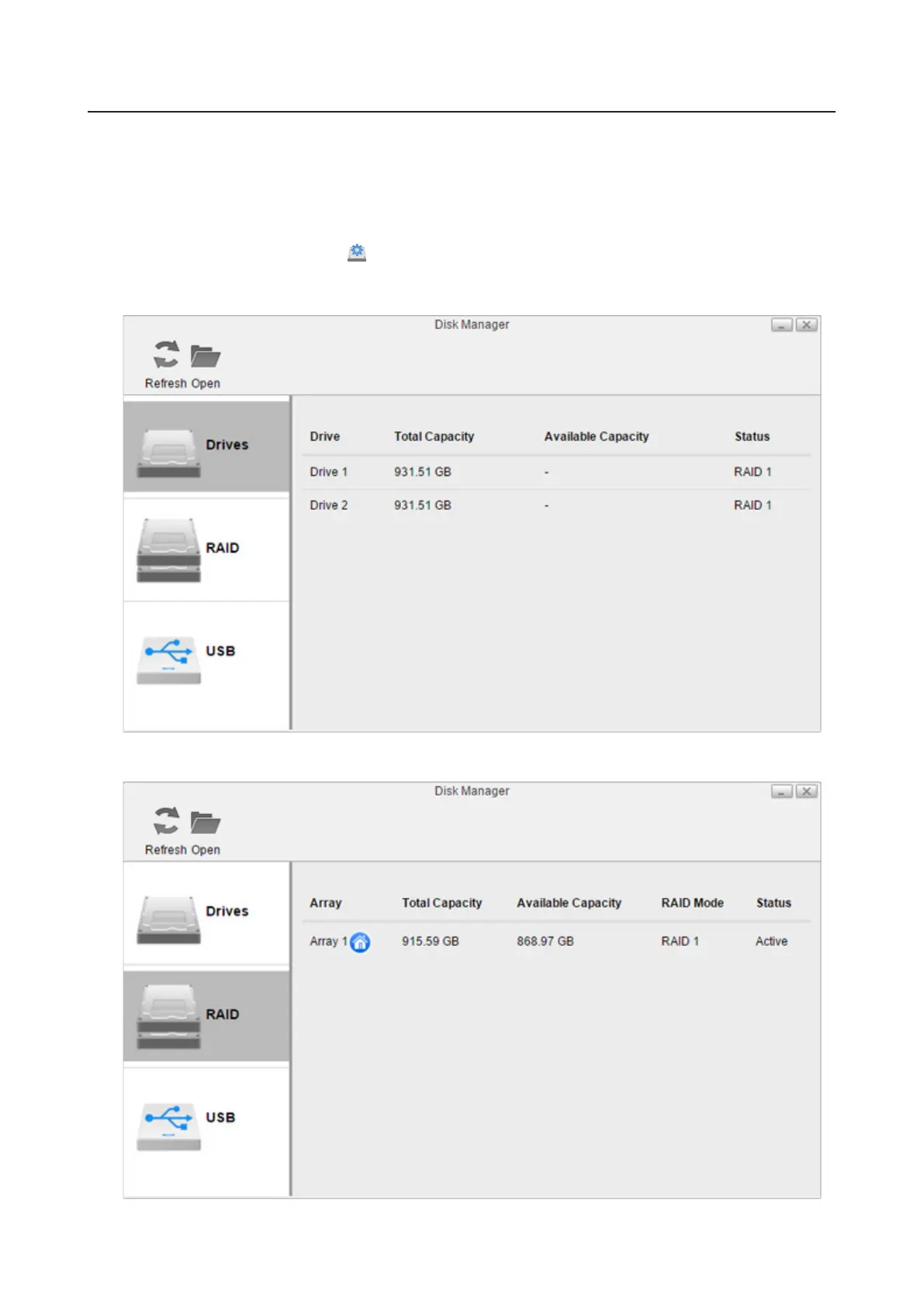
Changing RAID Mode
To change the RAID mode, first delete the current RAID array. Follow the procedure below.
Note: You can also configure the RAID settings, including changing the RAID mode, using the initial setup wizard,
but you will lose all settings on the LinkStation.
To launch the initial setup wizard, initialize the LinkStation settings from System Settings > Reset, then follow the
procedure on the screen to finish changing the RAID mode.
1 From Settings, click Disk Manager ( ).
2 Click the RAID tab.
3 Click the array to delete. If no array is listed, the array has already been deleted. In such a case, skip to step 5.
38













 To Next Page