System Language
Changing System Languages
This setting changes the language used by the LinkStation for DLNA. To change the language displayed in Settings,
refer to the “Changing Display Languages” section in chapter 2.
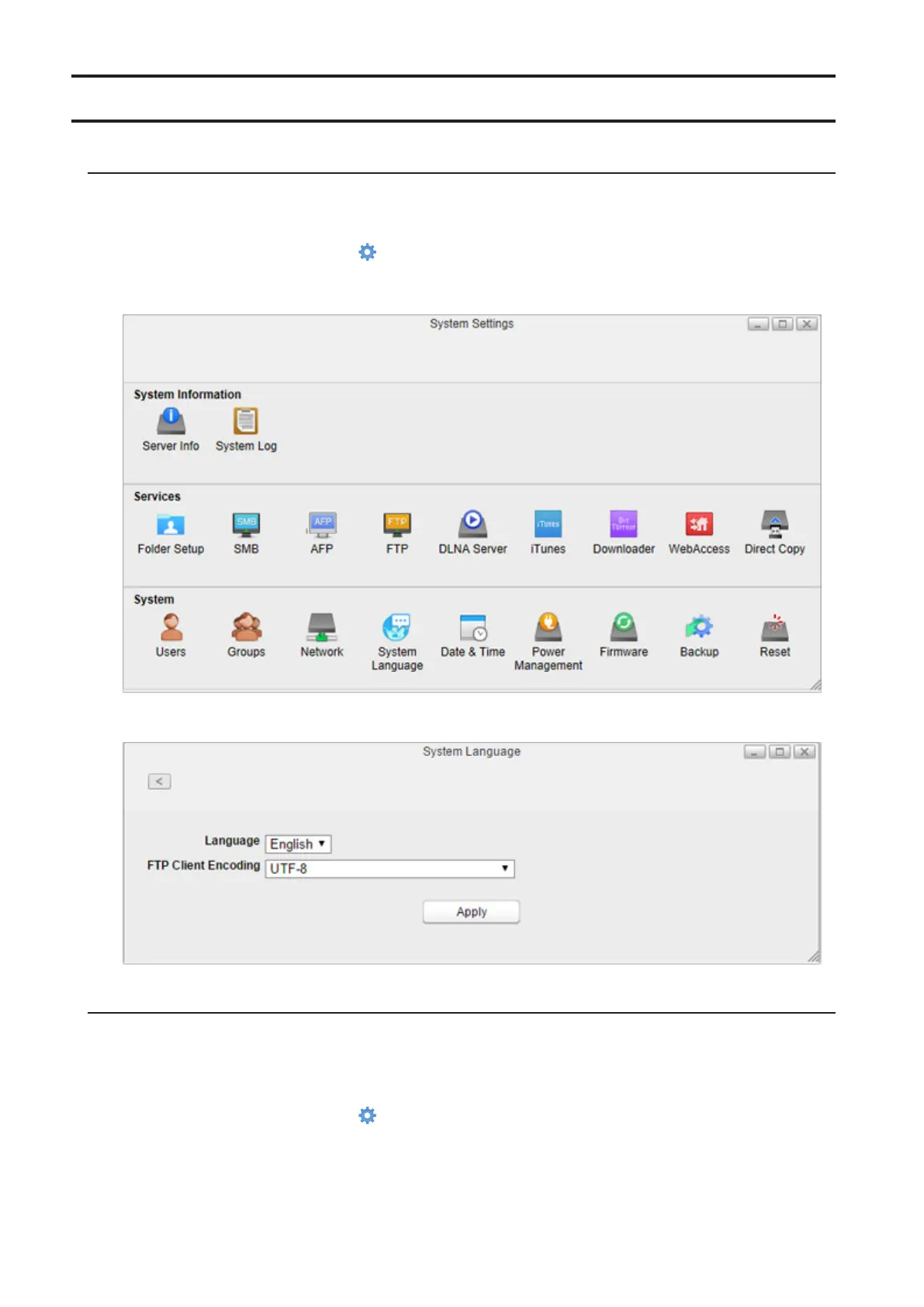
1 From Settings, click System Settings ( ).
2 Click System Language.
3 Select the language from the drop-down list of “Language” and click Apply.
Changing FTP Client Character Encoding
To change the FTP client’s character encoding settings, follow the procedure below. These encoding settings should
match your FTP client’s settings. If these settings do not match those of the FTP client, characters in a filename may
not display properly.
1 From Settings, click System Settings ( ).
85















 To Next Page