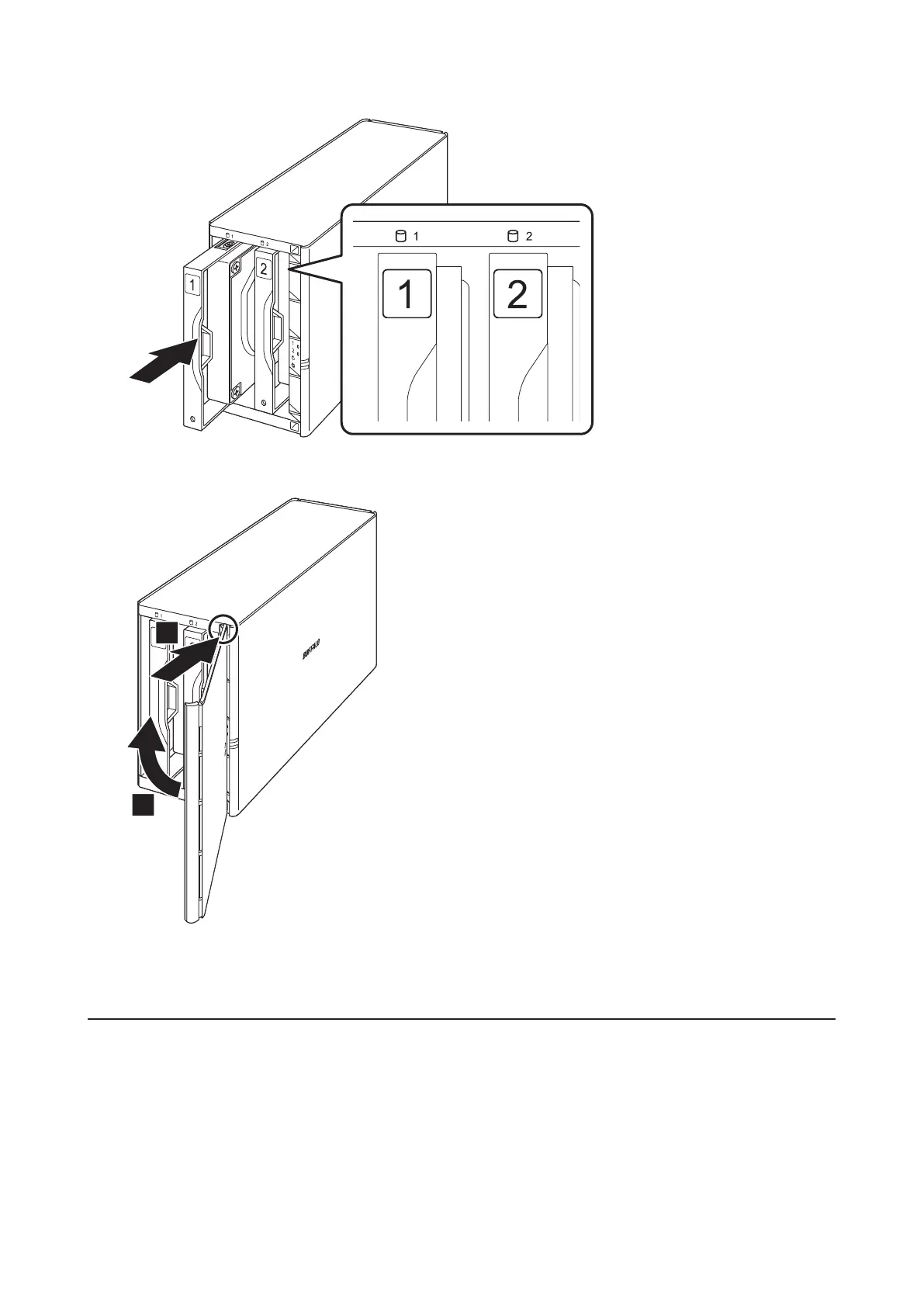
7 Insert the new drive into the empty slot.
8 Close the front panel.
1
2
9 Connect all cables, then turn on the LinkStation.
Step 2 - Rebuilding the RAID Array
Depending on your RAID mode, the rebuilding procedure will be different. Follow the corresponding procedure
below that matches your RAID mode.
Using RAID 1
1 Follow the drive replacement procedure described above and replace the failed drive with a new drive.
2 Press and hold the function button on the back of the LinkStation for 5 seconds.
49













 To Next Page