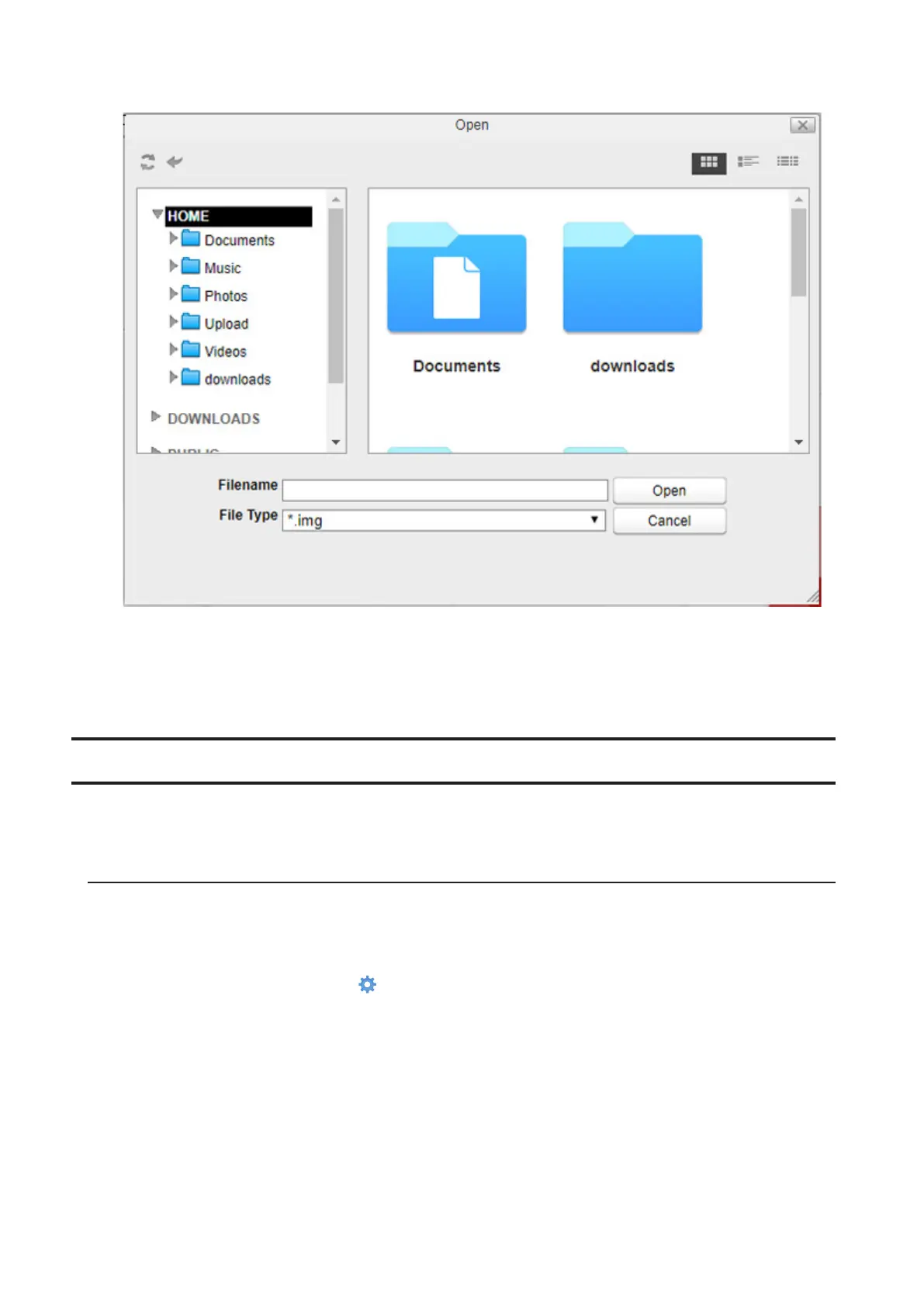
5 Specify the firmware image file that was saved in the LinkStation’s shared folder and click Open.
6 Click Apply.
7 While the firmware updates, the power LED blinks amber. Wait until the update is complete and the LED
returns to white.
Backup
You can back up the LinkStation folders to another shared folder on the same LinkStation, a connected USB drive, or
a shared folder on another Buffalo NAS device, either on the same network or on another network.
Preparing a Backup Destination
First, configure a shared folder on a Buffalo NAS device or connected USB device as a backup destination. The
following procedure explains using another shared folder on the LS500 series LinkStation as a backup destination.
The procedure may vary depending on which Buffalo NAS device is selected as a destination.
1 From Settings, click System Settings ( ).
97













 To Next Page