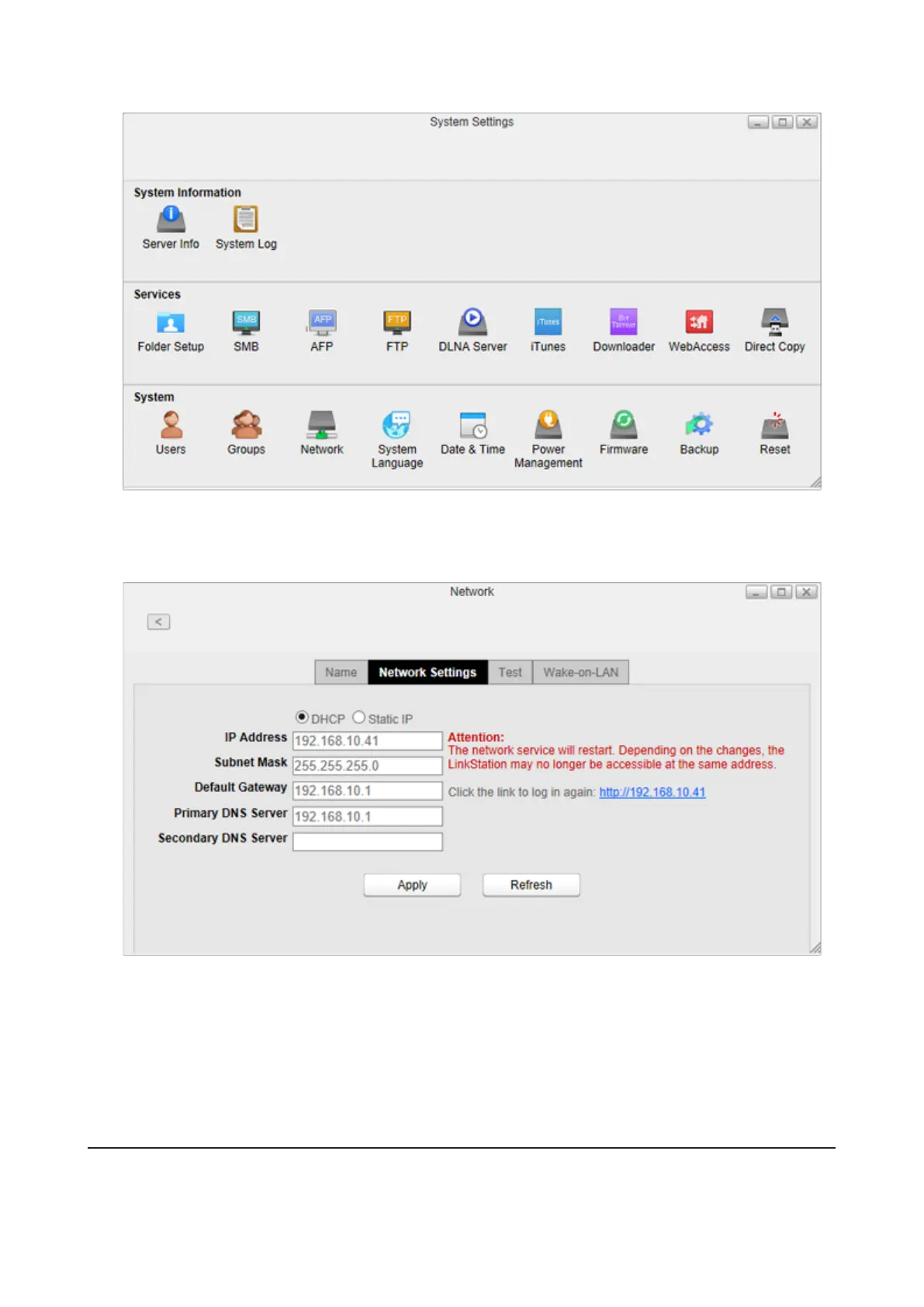
2 Click Network.
3 Click the Network Settings tab.
4 Select Static IP, enter the desired network address settings, and click Apply.
Note: The following IP addresses are reserved and should not be used. If you configure one of them by accident,
initialize settings with the function button on the LinkStation.
• Local loopback address: 127.0.0.1, 255.255.255.0
• Network address: 0.0.0.0, 255.255.255.0
• Broadcast address: 255.255.255.255, 255.255.255.0
• The IP address range from 224.0.0.0 to 255.255.255.0
Wake-on-LAN
The LinkStation supports Wake-on-LAN, which allows it to be turned on remotely. You can only wake the LinkStation
up when the LinkStation is in sleep (standby) mode.
83













 To Next Page