• Descriptions may contain up to 75 alphanumeric characters, hyphens (-), underscores (_), and spaces. Multibyte
characters are supported. The first character should not be a space or symbol.
• Names already in use for existing folders cannot be used.
Recycle Bin
To protect your data from accidental deletion, you may configure your LinkStation to use a recycle bin instead
of deleting files immediately. The recycle bin will only work with SMB connections. To configure the recycle bin,
navigate to System Settings > Folder Setup in Settings, select the folder from the list, and enable the recycle bin.
Configuring Access Restrictions
You may restrict access to specific shared folders.
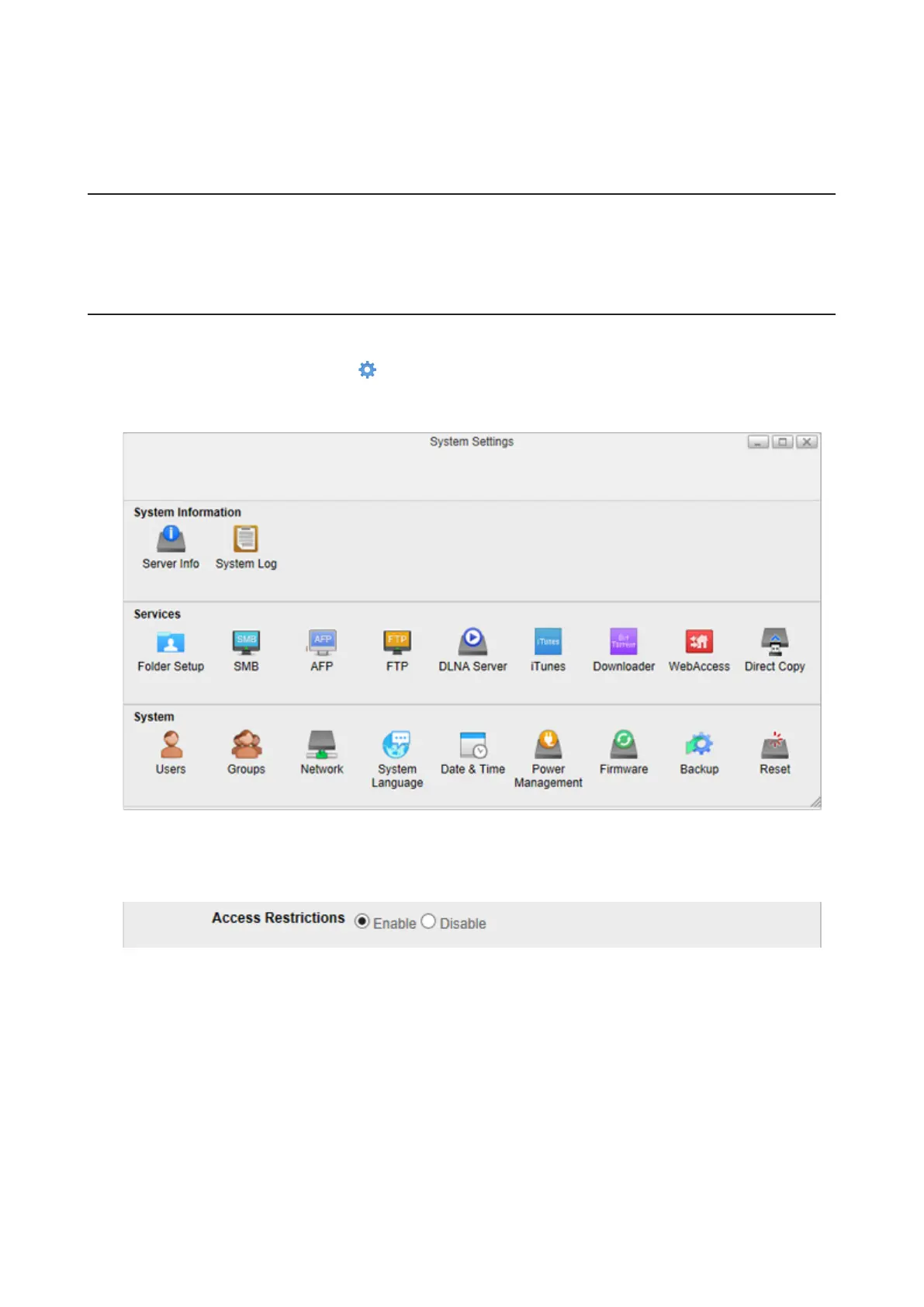
1 From Settings, click System Settings ( ).
2 Click Folder Setup.
3 Click the shared folder that you want to set access restrictions for.
4 Enable “Access Restrictions”.
5 Select the level of access for the user or group you added.
58













 To Next Page