Chapter 1 Getting Started
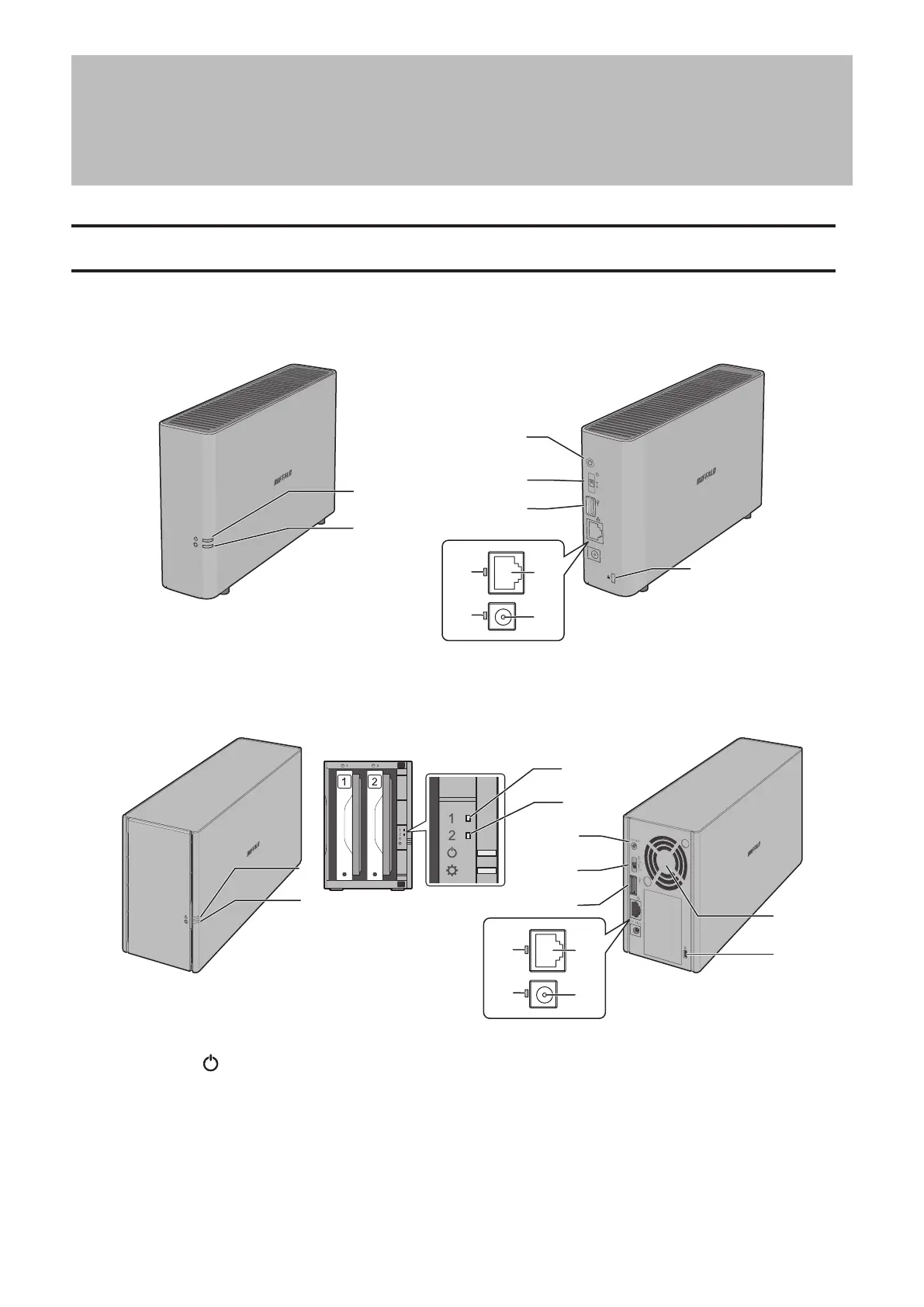
Diagrams
LS510D
Function
ON
OFF
1
2
5
6
7
13
10
9
11
8
LS520D, LS520DN, LS520DE
1
2
5
6
7
13
12
3
4
10
9
11
8
1 Power LED ( )
The white power LED will light up while the LinkStation is on.
The white power LED blinks while booting or shutting down.
The red power LED blinks when an error occurs.
If there is a status message, the power LED blinks amber.
If there is new firmware available, the power LED glows amber.
7















 To Next Page