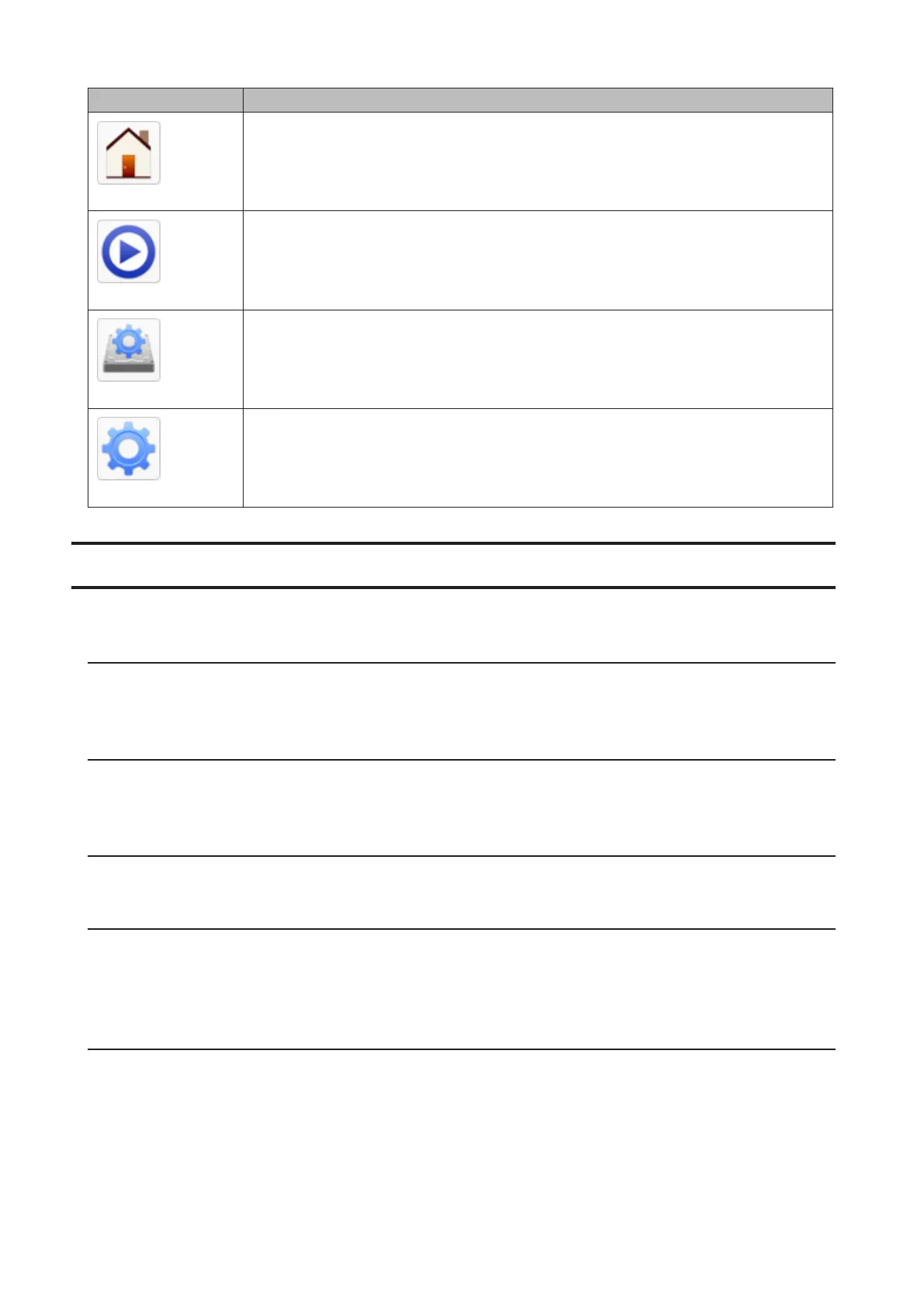
Item Description
My LinkStation
The same as My LinkStation.
Media Player
Plays audio or video files stored in the LinkStation.
Disk Manager
Manages internal and external drives connected to the LinkStation.
System Settings
Configures optional advanced settings.
Customizing the Home Screen
You can customize the home screen desktop to your specifications.
Adding New Shortcuts
To add a new desktop shortcut for an application, drag the application from the “Applications” folder to the desktop.
To add a desktop shortcut for a file or folder, drag the file or folder from its location to the desktop.
Deleting Shortcuts
To delete a shortcut, you can either right-click on the shortcut and click Delete.
Alternatively, you can drag and drop the shortcut into the recycle bin, then click OK from the dialog window.
Restoring Shortcuts
To restore desktop shortcuts to the default ones, right-click anywhere on the desktop and click Restore Desktop Icons.
Arranging and Sorting Icons
To re-arrange the icons, simply drag them to your preferred location on the desktop. To sort desktop shortcuts,
right-click anywhere on the desktop and click Sort Desktop Icons. All the shortcuts will be re-arranged starting from
the top-left corner.
Changing Icons
You can change replace an icon image with an image file on your LinkStation.
1 Right-click on a shortcut icon and click Change Icon.
17













 To Next Page