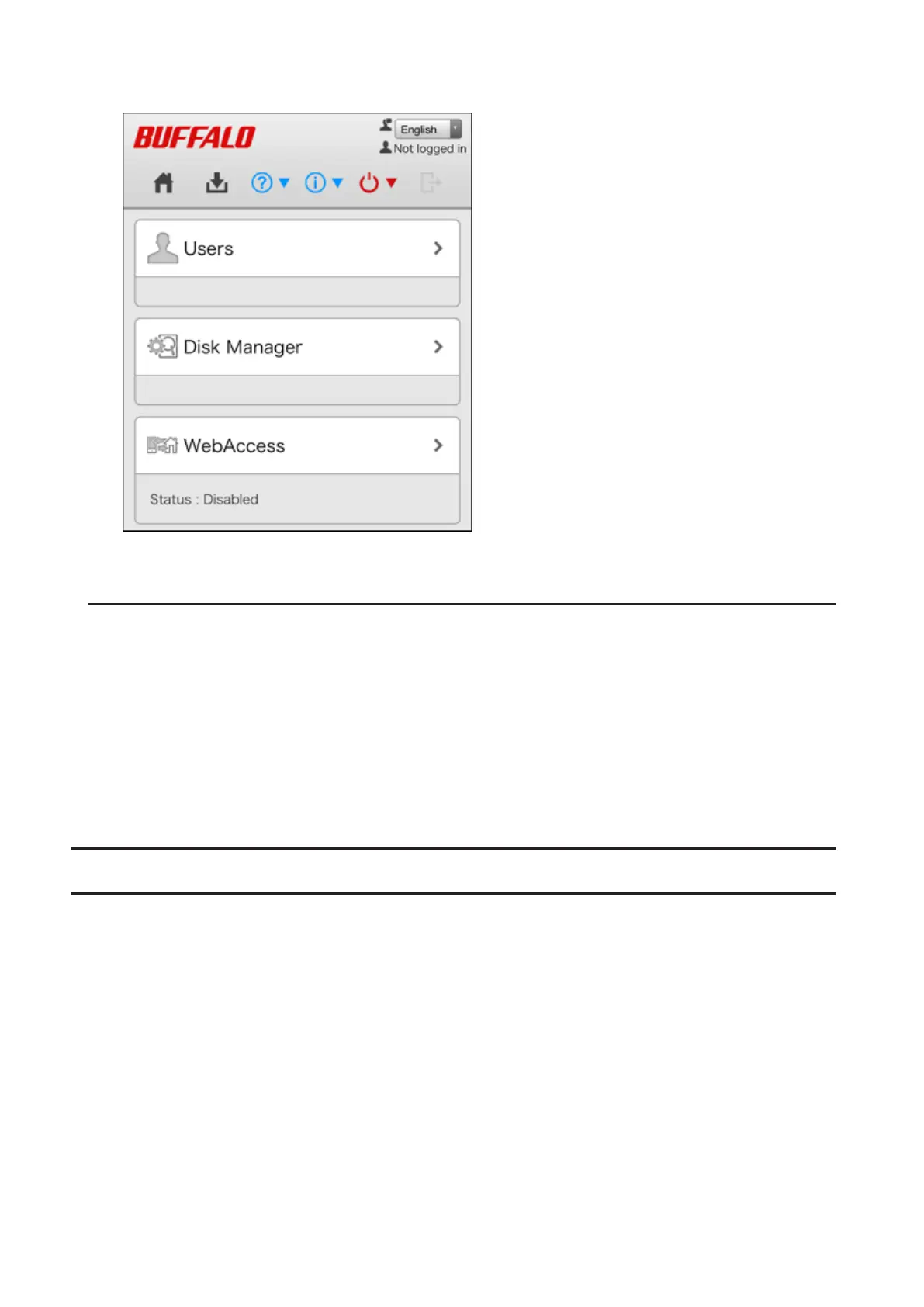
3 Settings will be displayed.
Note: If you tap any buttons, you will need to enter a username and password.
Resetting Administrator Password
If you forget the admin password and cannot log in to Settings, you can initialize it with the function button. Follow
the procedure below to initialize the password.
1 Turn off the LinkStation.
2 Turn the LinkStation on while pressing and holding the function button until the power LED flashes amber.
3 Initialization will start. Do not power down the LinkStation while the power LED is blinking.
4 When the power LED glows a steady white, initialization is finished.
Navigating the Main Menu
When you log in to Settings, you will see the following screen first.
15













 To Next Page