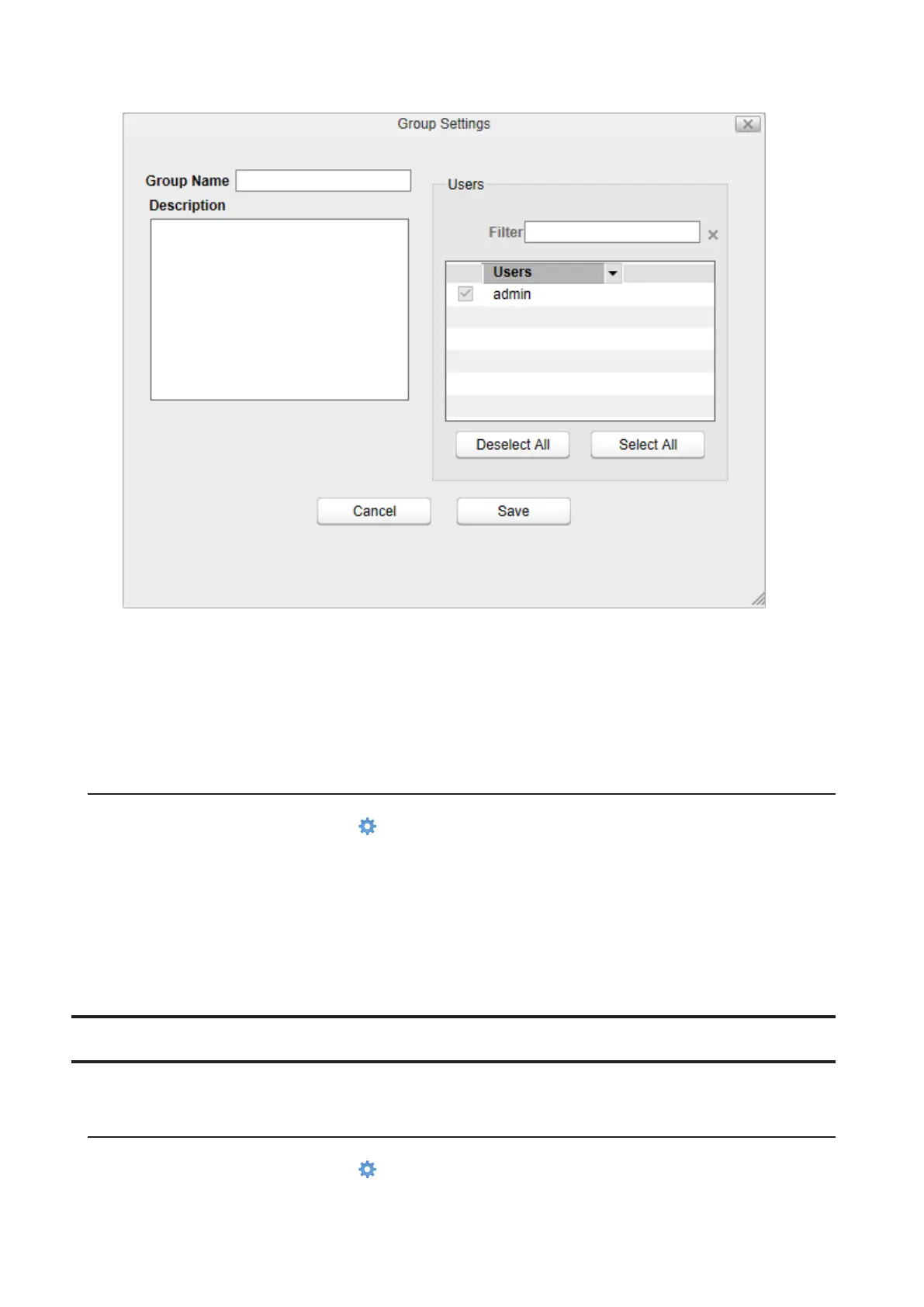
4 Enter a group name and select the users whose belong to, then click Save.
A new group will be added to the list.
Notes:
• Group names may contain up to 20 alphanumeric characters, hyphens (-), underscores (_), and periods (.). The
first character should not be a symbol unless it is an underscore.
• Group descriptions may contain up to 75 alphanumeric characters, hyphens (-), underscores (_), and spaces.
Multibyte characters are supported. The first character should not be a space.
Deleting Groups
1 From Settings, click System Settings ( ).
2 Click Groups.
3 Select a group’s checkbox and click Delete.
4 Click OK.
The selected group is deleted.
Network
Configure network settings such as a hostname, IP address, or Wake-on-LAN.
Changing the Hostname
1 From Settings, click System Settings ( ).
81













 To Next Page