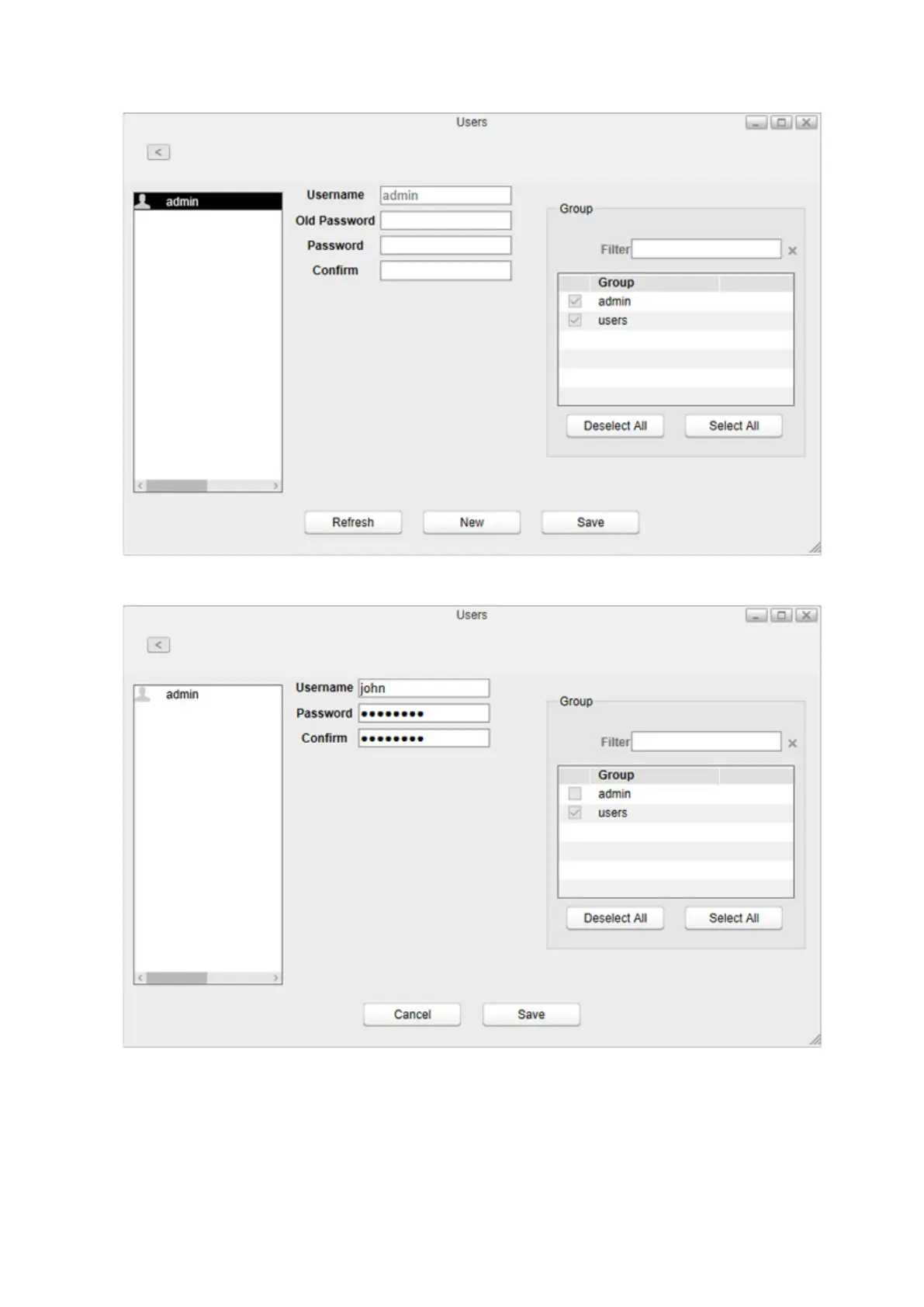
3 Click New.
4 Enter a username and password, and confirm the new password.
5 Select the group to join and click Save.
A new user will be added to the list. When a new user is created, a shared folder that uses the username as its folder
name is also created.
Notes:
• Usernames may contain up to 32 alphanumeric characters, hyphens (-), underscores (_), periods (.), and the
symbols ! $ ^ %. The first character should not be a symbol.
77



 To Next Page