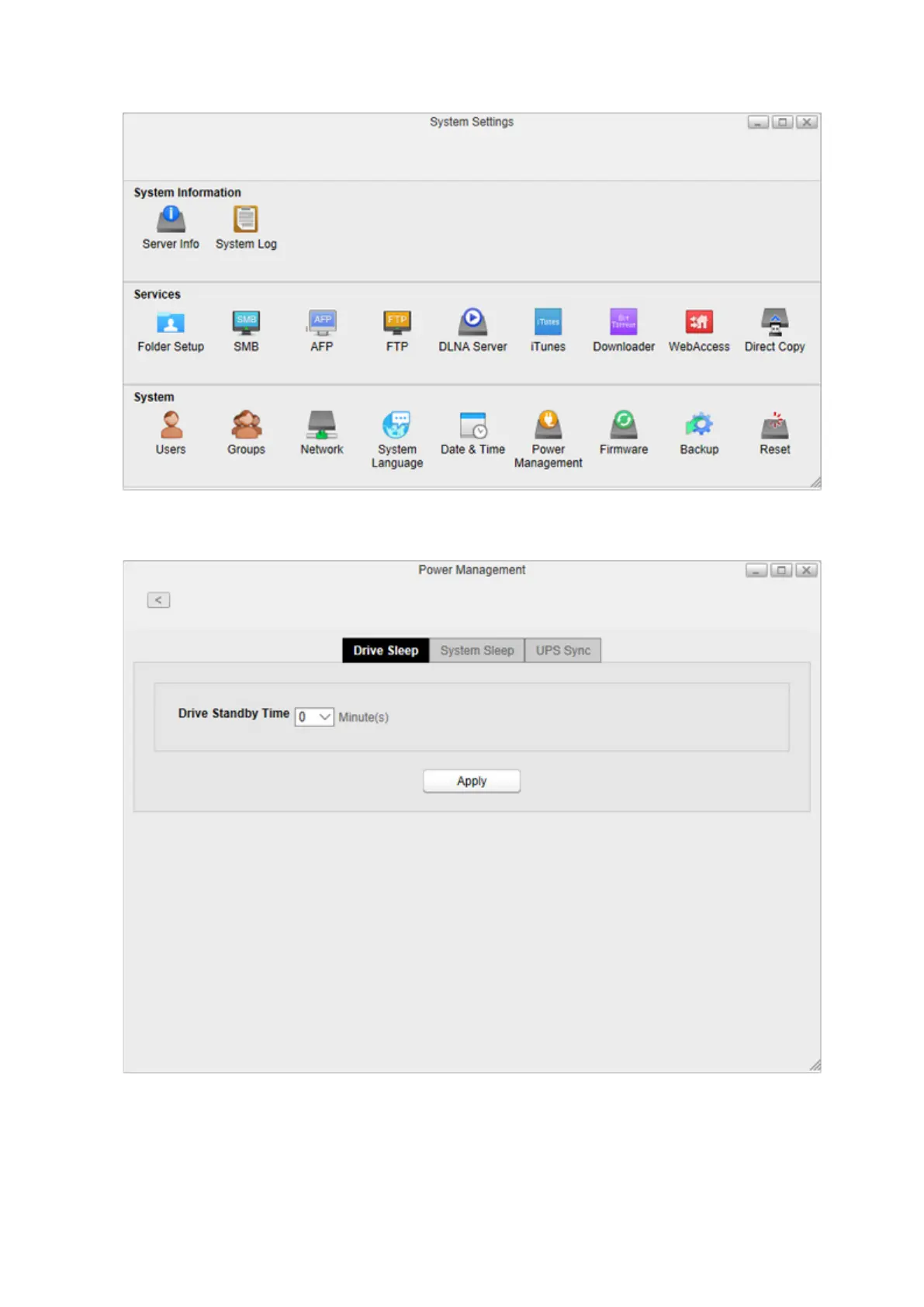
2 Click Power Management.
3 Click the Drive Sleep tab and configure the time interval when the drive will spin down. For example, if you
select 5 minutes as the standby time, the drive will spin down 5 minutes after no drive access.
4 Click Apply.
Note: If you configure spin down settings after formatting internal drives or creating the RAID array, drive spin down
will not occur during specific periods because the formatting process is still working in the background.
91














 To Next Page