3
Option Boards
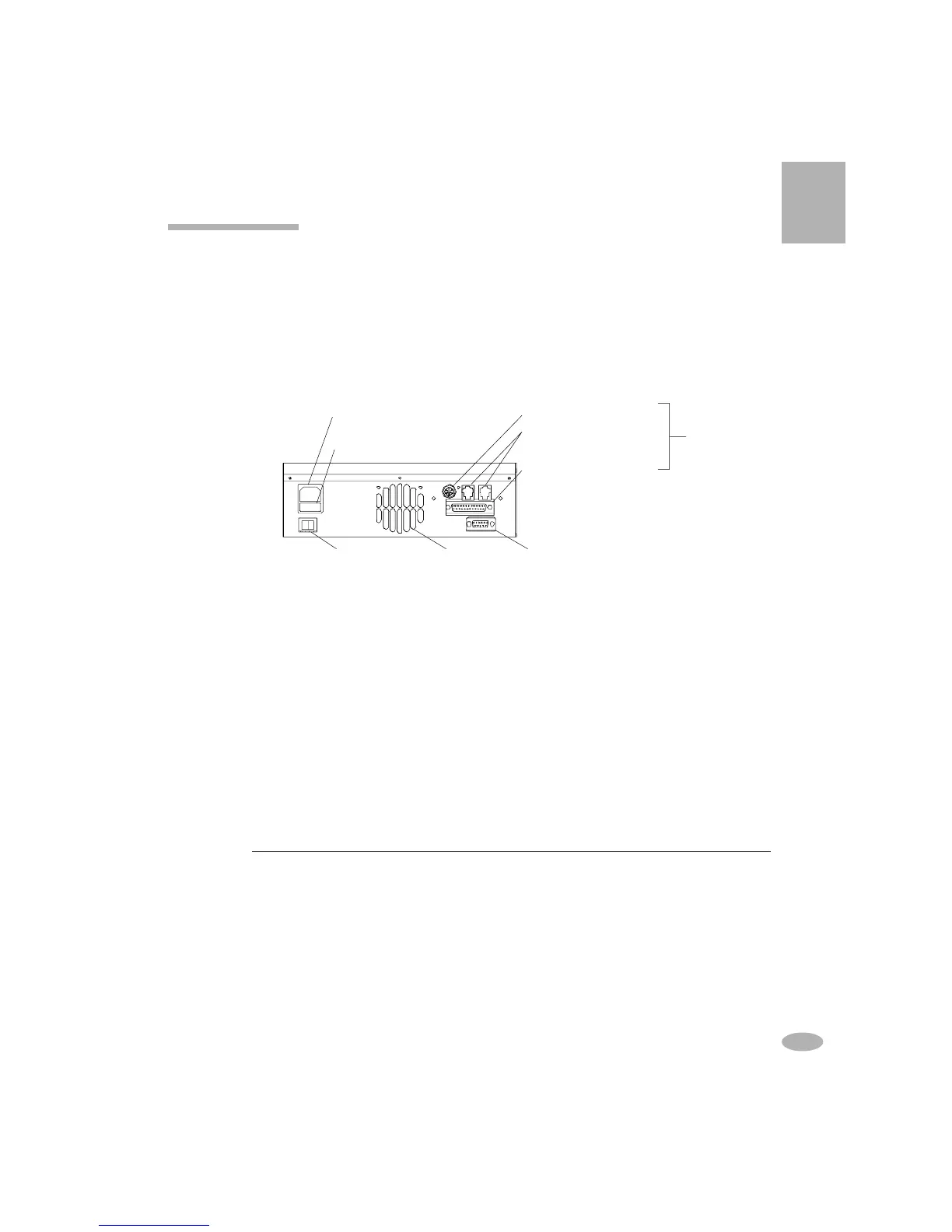
All models of the C7000 and the C7000ER come with a RS-232 Serial Port that
connects to a label printer or to BatteryShop. There are 2 option boards, OP-70 and
OP-72, that can be purchased for additional support. (The C7000ER is already
equipped with the OP-70 option board.) The option board sticker is at the back of
the analyzer. The option board configuration is also displayed during start-up.
Note that the option board is blank unless purchased.
Components
• Parallel Printer Port: connects to a parallel printer. Refer to
System Setup
on how to set up the parallel port device settings.
• Battery Backup RAM: retains test data on power interruption, resumes
service when power is restored, and retains dates and time.
• Bar Code Wand: reads bar-coded labels.
You can upgrade your standard analyzer to OP-70 or OP-72. Contact Cadex for
upgrade information.
Power Input
(ER model on side panel)
Input Fuse Drawer
5-pin DIN Bar Code Wand
RS-485 Ports (Not Used)
Parallel Printer Port
Option Board
Fan Outlet RS-232 Serial PortOn/Off Switch
OP-70 OP-72
Parallel Port
Battery Backup RAM
Bar Code Wand Not Activated
"
"
"
"
"
9



 To Next Page