Battery Service Reports and Battery Labels must be printed
before
removing the battery
with the exception of Auto-Print
. Once the battery is removed, the station resets to
prepare for the next battery, and the battery information is lost.
Print Utilities
48 C7000 & 7000ER Battery Analyzer V3.5
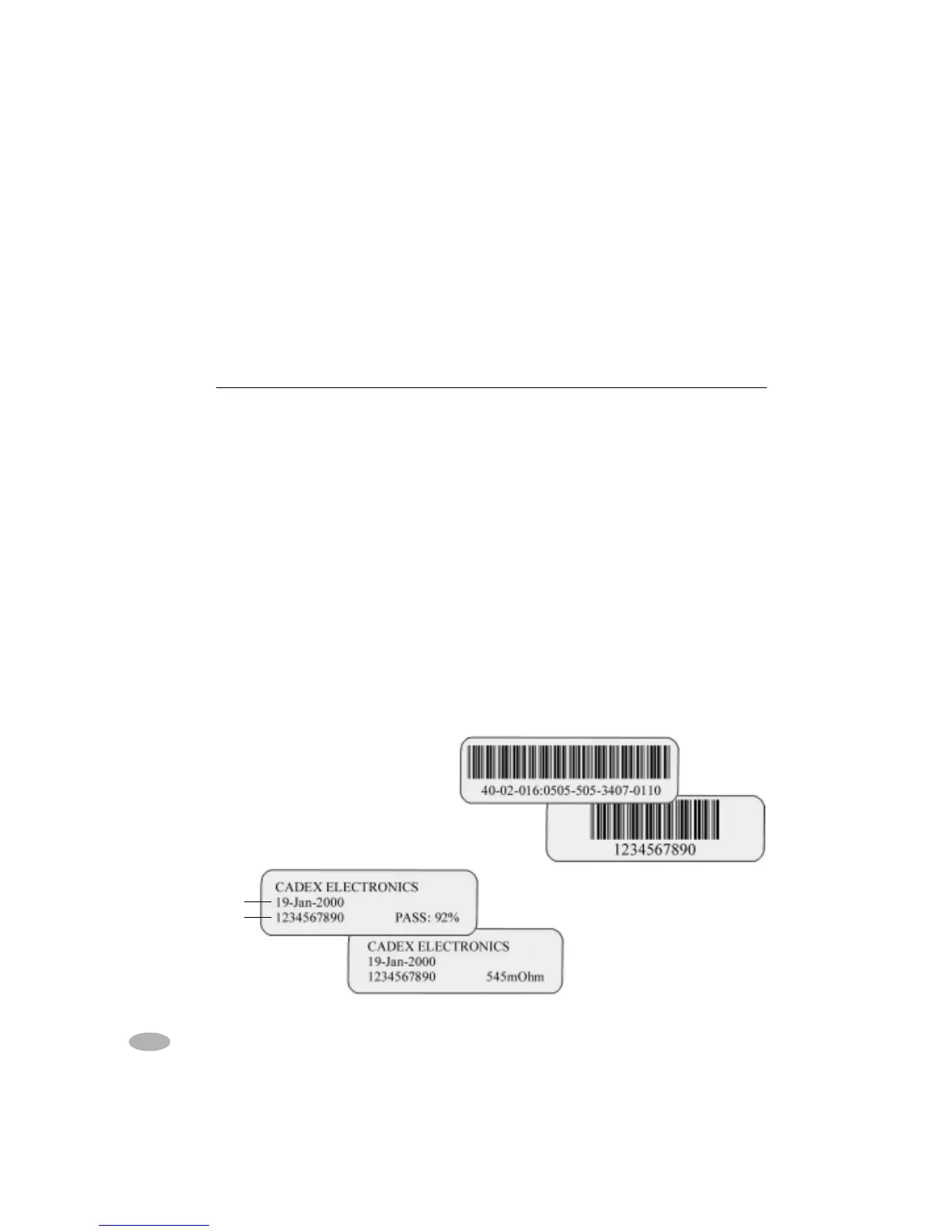
Battery Labels with capacity and
resistance readings
Bar-Code Label with C-Code
Bar-Code Label with Battery ID
Report/Label Description
Battery Service Report
Lists Battery ID, type, number of cells, rating, and
cell voltage. Also describes the C-Code, cycles
performed, Charge/Discharge rates, any applicable
fault codes and final capacities.
Battery Label
Contains company name, date, test result with any
fault codes, and the Battery ID number (if available).
To be attached to the batteries after service.
Bar-Code Label Contains Battery ID or C-code.
System Setup Report Lists time, date, company name, serial port and
printer port settings, event logging setup, adapter
setup and Custom Program information.
Auto-Print The system automatically prints a Battery Service
Report or Battery Label when a battery is removed
from the analyzer after service. Default setting is
Neither
.
Battery ID
Service Date



 To Next Page