114
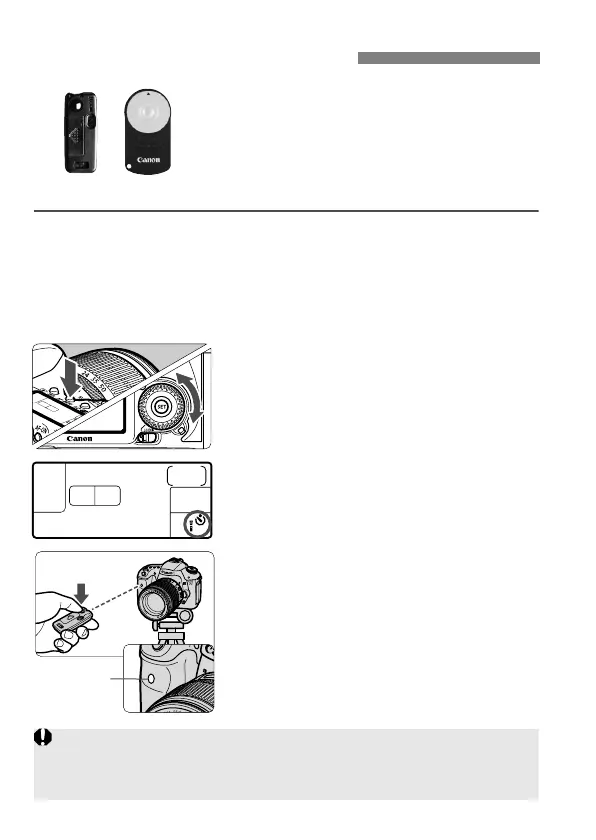
With Remote Controller RC-6, RC-1 or RC-
5 (sold separately), you can shoot remotely
up to about 5 meters/16.4 feet from the
camera. RC-6 or RC-1 enables you to
shoot immediately or after a 2-sec. delay,
and RC-5 has a 2-sec. delay.
1
Focus the subject.
2
Set the lens focus mode switch to
<MF>.
You can also shoot with <f>.
3
Press the <o> button. (9)
4
Select the self-timer.
Look at the LCD panel and turn the
<5> dial to select <Q> or <k>.
5
Press the remote controller’s
transmit button.
Point the remote controller toward the
camera’s remote control sensor and
press the transmit button.
The self-timer lamp lights and the
picture is taken.
R Remote Control Shooting
Camera misoperation may occur near certain types of fluorescent lights.
During wireless remote control, try to keep the camera away from
fluorescent light sources.



 To Next Page