197
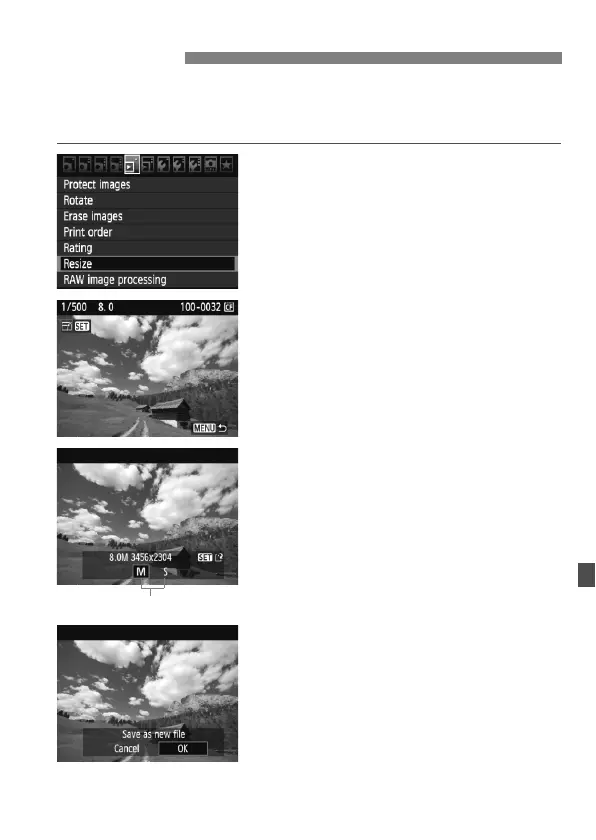
You can resize an image to make the pixel count lower and save it as a
new image. Resizing an image is possible only with JPEG 3/4
images. JPEG 6 and RAW images cannot be resized.
1
Select [Resize].
Under the [3] tab, select [Resize],
then press <0>.
The images will be displayed.
2
Select an image.
Turn the <5> dial to select the
image you want to resize.
By pressing the <I> button, you
can switch to the index display and
select an image.
3
Select the desired image size.
Press <0> to display the image
sizes.
Turn the <5> dial to select the
desired image size, then press <0>.
4
Save the image.
Select [
OK
] to save the resized image.
Check the destination folder and
image file number, then select [OK].
To resize another image, repeat steps
2 to 4.
Press the <M> button to return to
the menu.
S Resize



 To Next Page