149
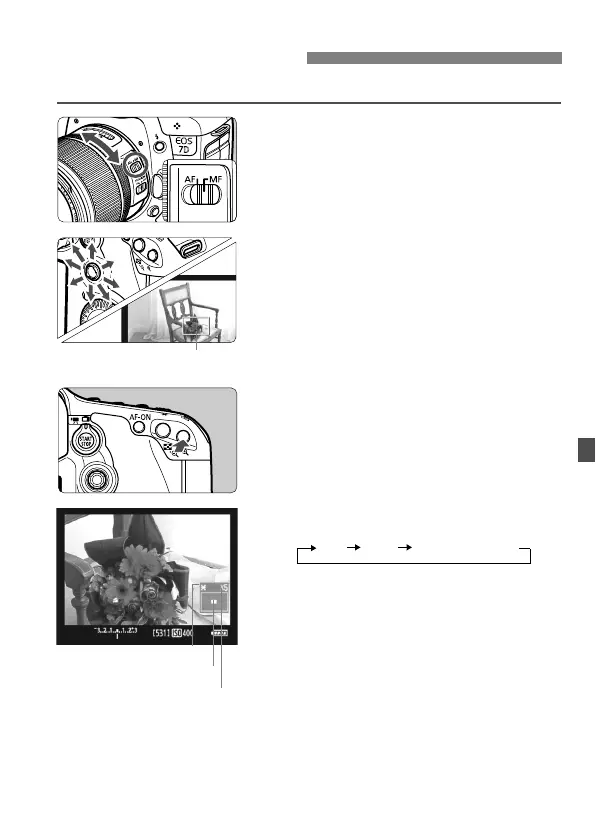
You can magnify the image and focus precisely manually.
1
Set the lens focus mode switch to
<MF>.
Turn the lens focusing ring to focus
roughly.
2
Move the magnifying frame.
Use <9> to move the magnifying
frame to the position where you want
to focus.
If you press <9> straight down, the
AF point will return to the image
center.
3
Magnify the image.
Press the <u> button.
The image within the magnifying
frame will be magnified.
Each time you press the <u> button,
the display format will change as
follows:
4
Focus manually.
While looking at the magnified image,
turn the lens focusing ring to focus.
After achieving focus, press the <u>
button to return to the normal view.
5
Take the picture.
Check the focus and exposure, then
press the shutter button to take the
picture (p.136).
Focusing ManuallyN
AE lock
Magnified area position
Magnification



 To Next Page