160
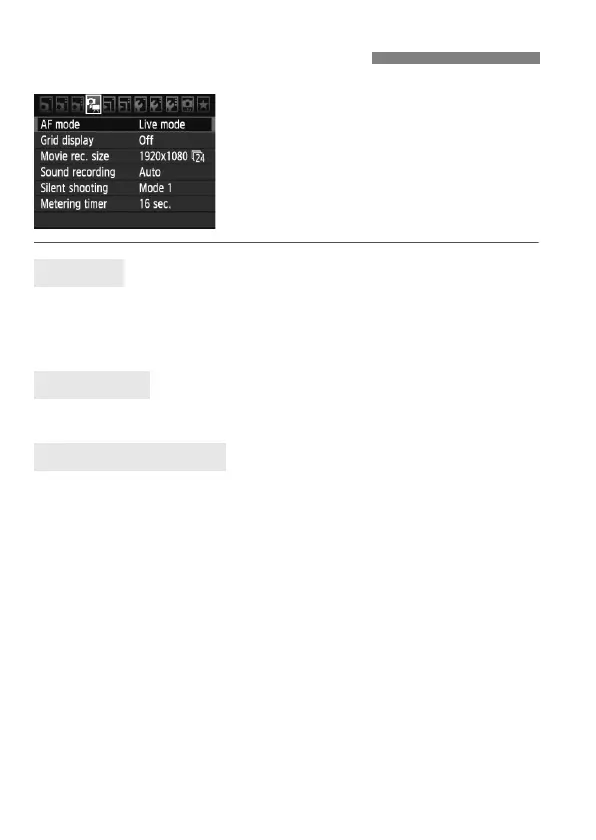
Function settings particular to movie
shooting are explained here. When the
Live View shooting/Movie shooting
switch is set to <k>, the menu will
show the [x] tab. The menu options
are as follows.
The AF mode will be the same as described on pages 142-148. You can
select [Live mode], [u Live mode], or [Quick mode]. Note that
continuous focusing of a moving subject is not possible.
With [Grid 1l] or [Grid 2m], you can display grid lines.
[1920x1080] : Full HD (Full High-Definition) recording quality.
[1280x720] : HD (High-Definition) recording quality.
[640x480] : Standard recording quality. The screen format will be 4:3.
The [9] (frame rate) indicates how many frames are recorded per
second. This will change depending on the [6 Video system] menu
setting (NTSC for North America, Japan, Korea, Mexico, etc., or PAL for
Europe, Russia, China, Australia, etc.). Note that [4] is used for motion
pictures.
* The actual frame rate will be: 6: 29.97, 5: 25.00, 4: 23.976, 8: 59.94, 7:
50.00
x Menu Function Settings
AF mode
Grid display
Movie-recording size



 To Next Page