244
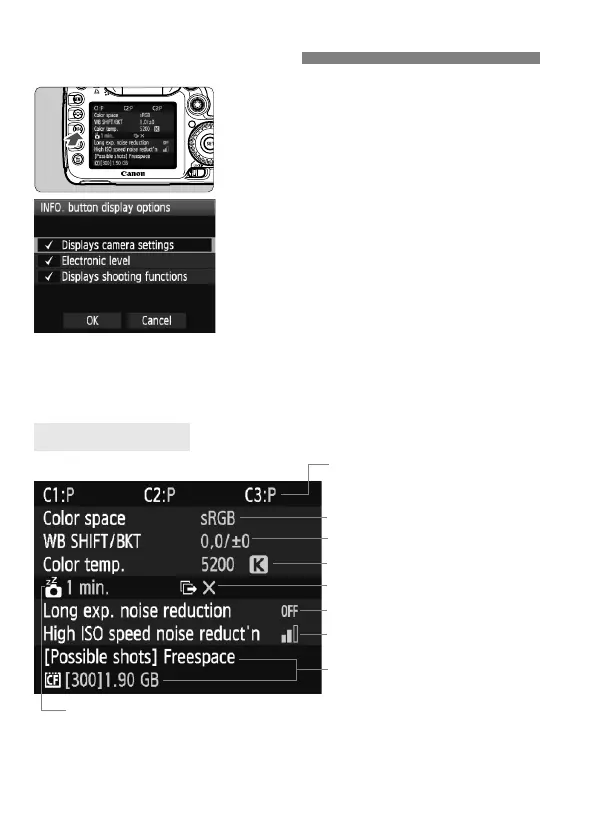
When you press the <B> button while
the camera is ready to shoot, you can
display [Displays camera settings],
[Displays shooting functions] (p.245),
and [Electronic level] (p.50).
Under the [7] tab, the [INFO. button
display options] option enables you to
select what the <B> button is to
display when pressed.
Turn the <5> dial to select the
desired item, then press <0> to
append a <X> checkmark.
After making the selection, turn the
<5> dial to select [OK], then press
<0>.
* This icon is displayed only when the transfer of some images failed while using
the Wireless File Transmitter WFT-E5.
B Button Functions
Camera Settings
(p.75, 76)
(p.86)
Shooting mode registered
under the Mode Dial’s w, x,
and y positions
(p.29, 61)
Auto power off (p.46)
(p.74)
Transfer of some images failed*
(p.224)
(p.224)



 To Next Page