136
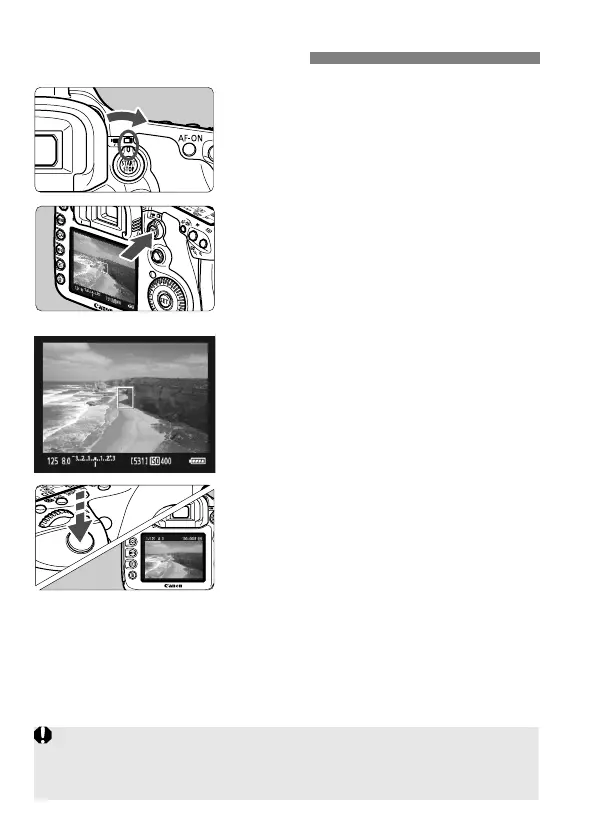
1
Set the Live View shooting/Movie
shooting switch to <A>.
2
Display the Live View image.
Press the <0> button.
The Live View image will appear on
the LCD monitor.
The image’s field of view is about
100%.
3
Focus the subject.
Before shooting, focus with AF or
manual focus (p.142-149).
When you press the shutter button
halfway, the camera will focus with
the current AF mode.
4
Take the picture.
Press the shutter button completely.
The picture will be taken and the
captured image is displayed on the
LCD monitor.
After the image review ends, the
camera will return to Live View
shooting automatically.
Press the <0> button to end the
Live View shooting.
A Live View Shooting
During Live View shooting, do not point the lens toward the sun. The
sun’s heat can damage the camera’s internal components.
Cautions for using Live View shooting are on pages 150-151.



 To Next Page