42
1
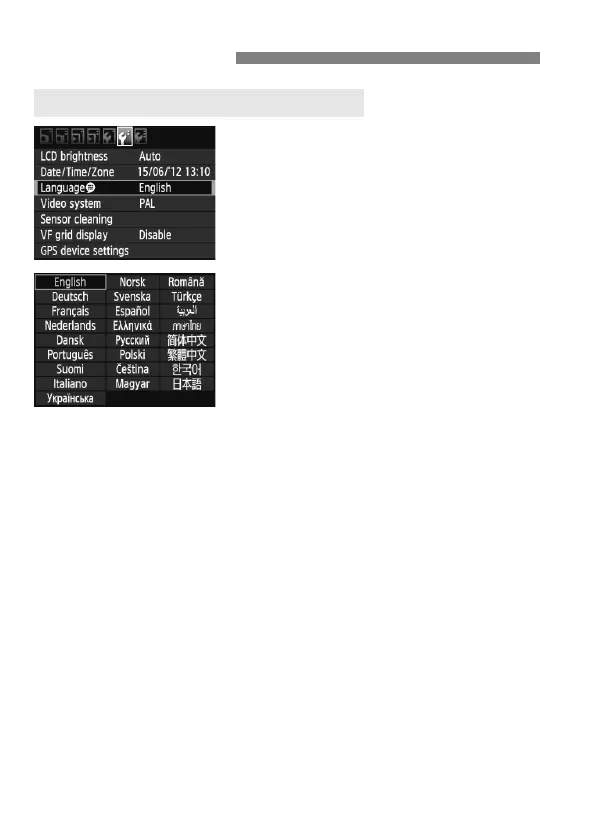
Select [LanguageK].
Under the [6] tab, select
[LanguageK] (the third item from
the top), then press <0>.
2
Set the desired language.
Turn the <5> or <6> dial to select
the language, then press <0>.
The interface language will change.
Before You Start
3 Setting the Interface Language



 To Next Page