50
Displaying the Grid and Electronic Level
1
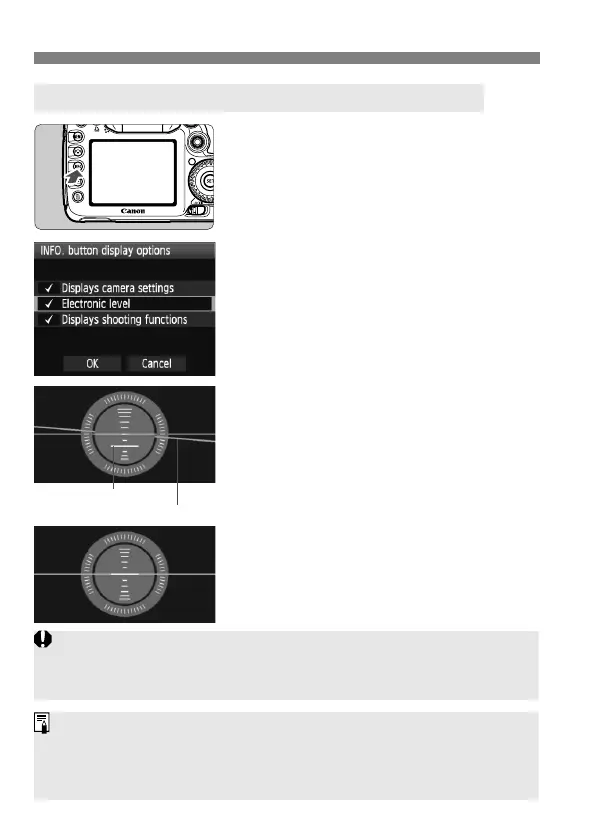
Press the <B> button.
Each time you press the <B>
button, the screen display will
change.
Display the electronic level.
If the electronic level does not
appear, set the menu’s [7 INFO.
button display options] option to
display the electronic level (p.244).
2
Check the camera’s roll and pitch.
The horizontal and vertical tilt are
displayed in 1° increments.
The red line turning green indicates
that the tilt is corrected.
Displaying the Electronic Level on the LCD Monitor
Vertical level
Horizontal level
Even when the tilt is corrected, there is a margin of error of ±1°.
If the camera is significantly tilted, the electronic level’s margin of error
will be greater.
The electronic level can also be displayed during Live View shooting and
movie shooting (p.138, 156).
The electronic level can also be displayed in the viewfinder using the AF
point display (p.233, 234, 237).



 To Next Page