181
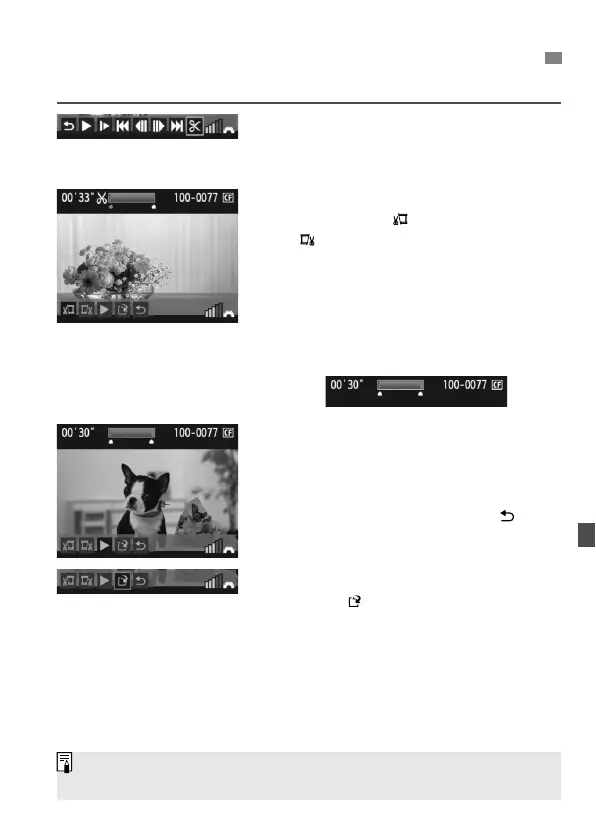
You can edit out the first and last scenes of a movie in 1-sec. increments.
1
On the movie playback screen,
select [X].
The editing screen will be displayed.
2
Specify the parts to be edited out.
Select either [ ] (Cut beginning) or
[ ] (Cut end), then press <0>.
Tilt <9> to the left or right to fast
forward or turn the <5> dial (Next
frame) to specify the part to be edited
out, then press <0>.
The portion highlighted in blue on the
top of the screen is what will remain.
3
Check the editing.
Select [
7
] and press <
0
> to playback
the portion highlighted in blue.
To change the editing, go back to step 2.
To cancel the editing, select [ ] and
press <0>.
4
Save the movie.
Select [ ], then press <0>.
The save screen will appear.
To save it as a new movie, select [
New file
].
Or to save it and overwrite the original movie
file, select [
Overwrite
]. Then press <
0
>.
X
Editing the Movie’s First and Last Scenes
If the card does not have enough space to save the movie, only [Overwrite]
can be selected.



 To Next Page